01
Finding a trusted doctor is hard
patients can’t easily compare specialty, experience and patient feedback.

An end-to-end healthcare app for MediGuide, designed, built and tested by AleyaAI: patients find trusted doctors, book appointments in a few taps, join live doctor sessions and manage records and medicines in one place.

Christopher Miller came to AleyaAI with a clear vision: one mobile app where patients can find the right doctor, book an appointment, consult online and manage their health — without phone calls, waiting rooms or paperwork. MediGuide needed to feel trustworthy and calm, while packing in a lot of functionality: doctor discovery, scheduling, live doctor sessions, medical records, medicine orders and payments. AleyaAI owned the product end to end — research, user flows, wireframes, high-fidelity UI and a reusable design system, then development, QA and launch on iOS and Android.
Booking a doctor is still stressful for many patients. Our discovery work with Christopher Miller identified five problems MediGuide had to solve:
01
patients can’t easily compare specialty, experience and patient feedback.
phone calls, busy lines and unclear availability.
patients often book for children, partners or parents, not just themselves.
prescriptions and records live on paper or in different apps.
the app had to stay simple while covering appointments, records, medicines, payments and support.
Stakeholder workshops with Christopher Miller to define business goals and must-have features.
Patient interviews covering booking habits, trust signals and pain points.
Competitive analysis of leading telemedicine and doctor booking apps.
Journey mapping from first download to completed appointment and follow-up.
“Patients decide on a doctor using three signals — specialty, experience and other patients’ feedback — so those must be visible on every doctor card.”
What success looked like, and how we measured it.
Book an appointment in under 60 seconds
Time from doctor search to confirmation
Build trust in doctor selection
Doctor profile views to bookings
Support family bookings
% of appointments made for another family member
Keep all health information in one place
Records and prescriptions added per user
Accessible, calm healthcare design
Usability test task success rate
We structured MediGuide around one core journey — find a doctor → book → consult → manage your health — and made every screen support it.
01 / 10
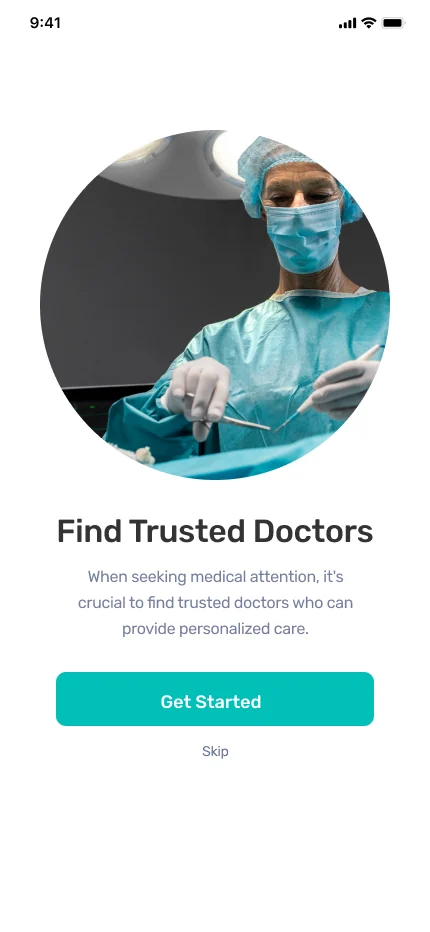
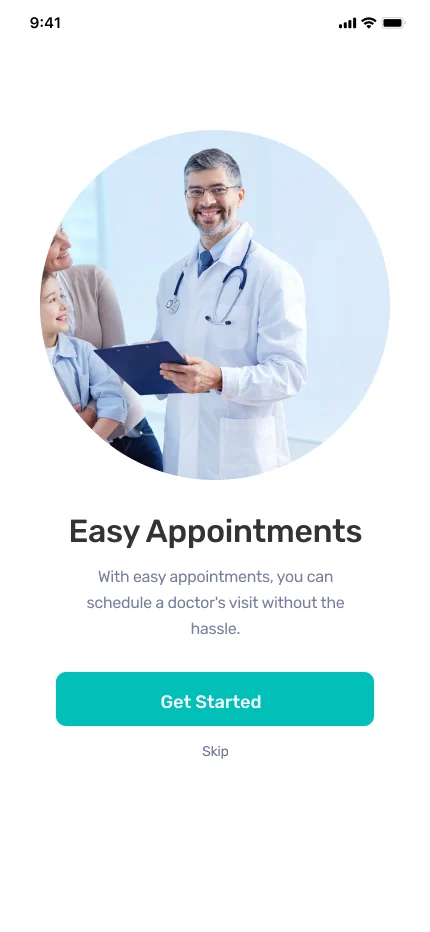
A clean splash screen introduces the MediGuide brand with its medical cross logo. Three onboarding screens explain the app’s value in plain language — Find Trusted Doctors, Choose Best Doctors and Easy Appointments — each with real-world medical photography, a single “Get Started” button and a “Skip” option for returning users.

Splash
Find trusted doctors

Choose best doctors
Easy appointments
02 / 10
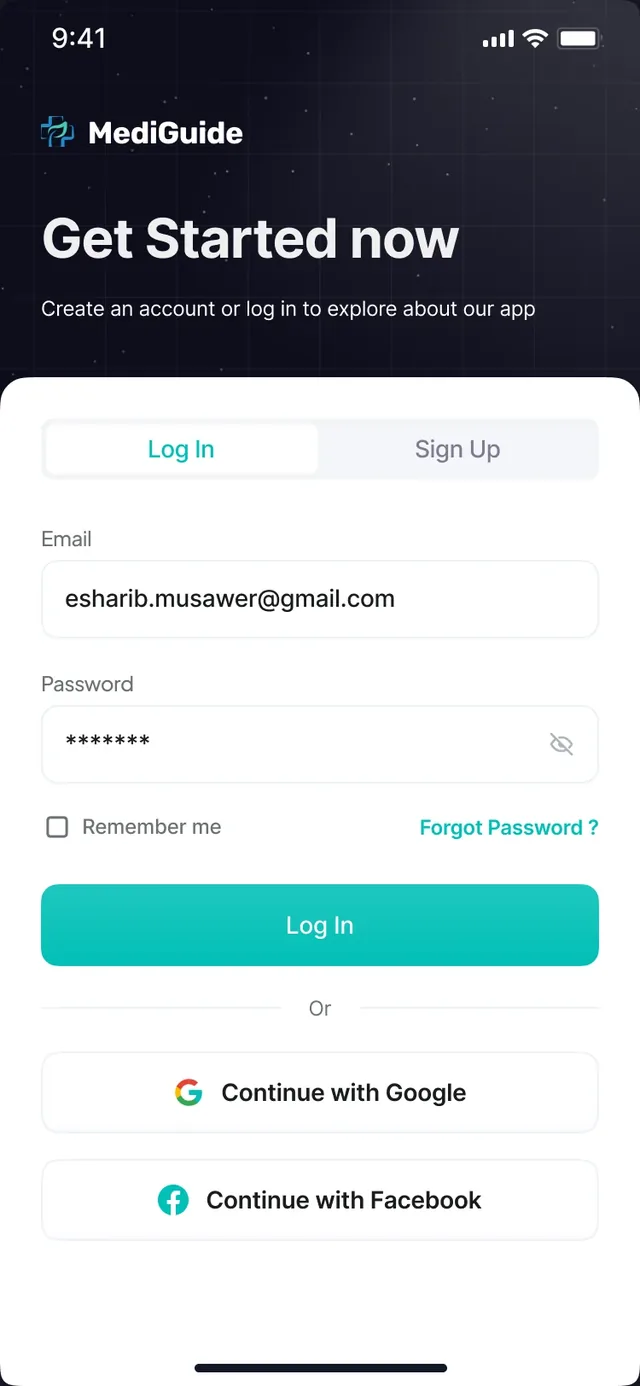
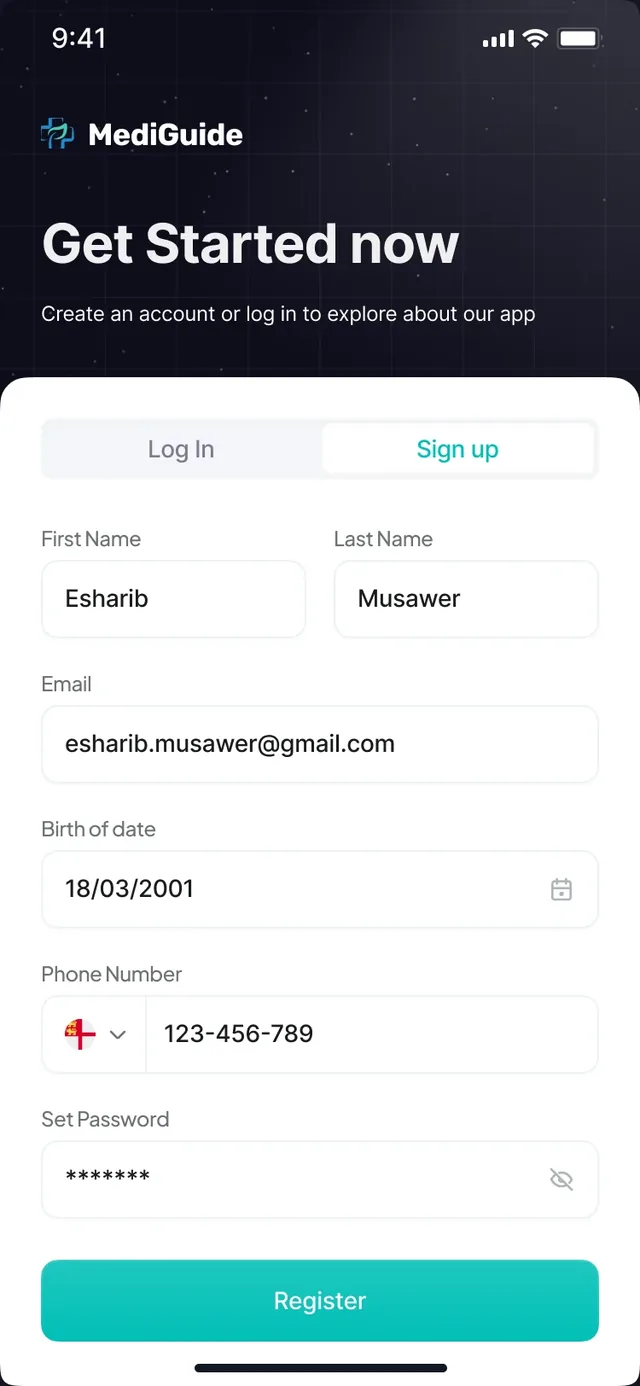
A single “Get Started now” screen with Log In / Sign Up tabs keeps authentication in one place. Users can sign in with email or continue with Google or Facebook. The sign-up form collects only what’s needed — name, email, date of birth, phone number and password — with a country code picker for international users.
03 / 10
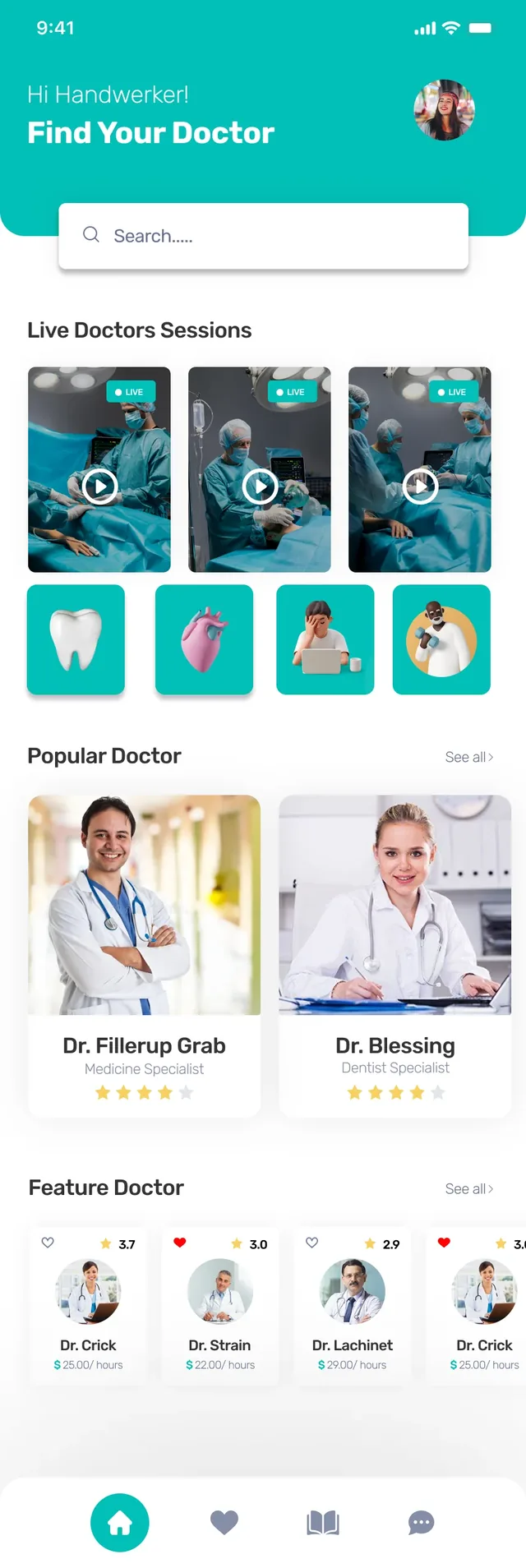
The home screen opens with a personal greeting and a prominent doctor search bar. Below it, Live Doctor Sessions let patients join video sessions, specialty shortcuts (dental, cardiology, general medicine and more) speed up browsing, and Popular and Featured Doctor sections show ratings and hourly fees at a glance.
Full screen, scrolling
04 / 10
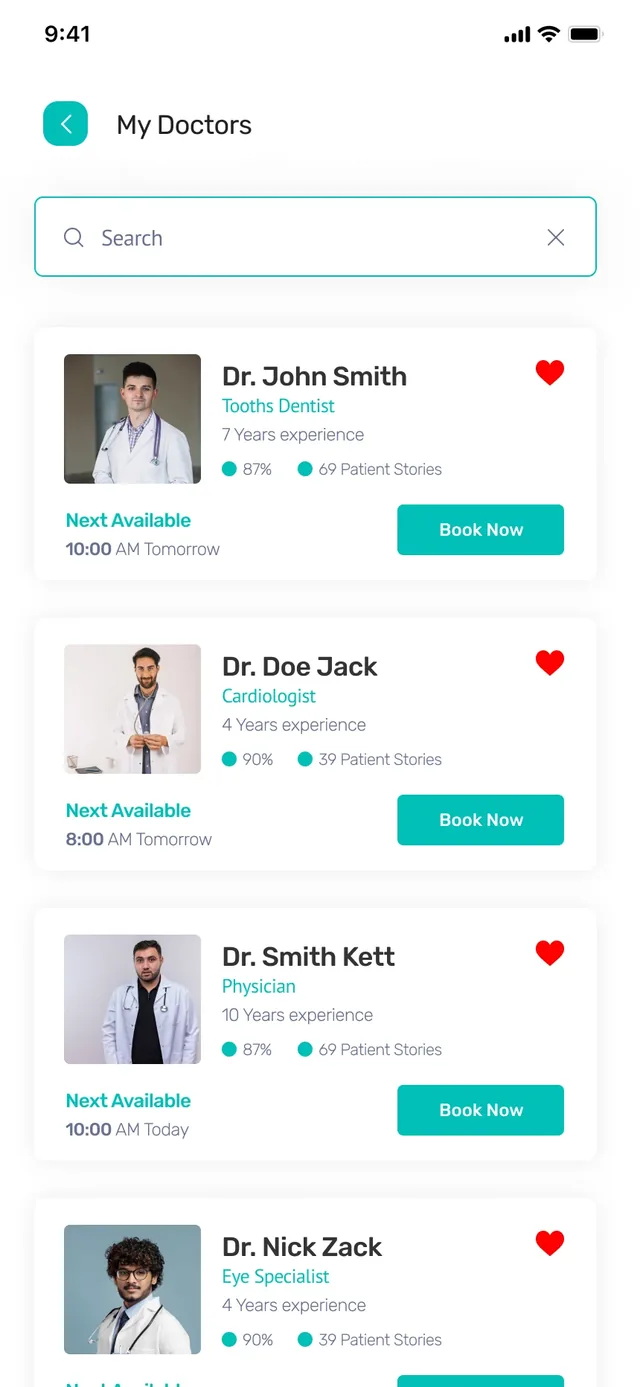
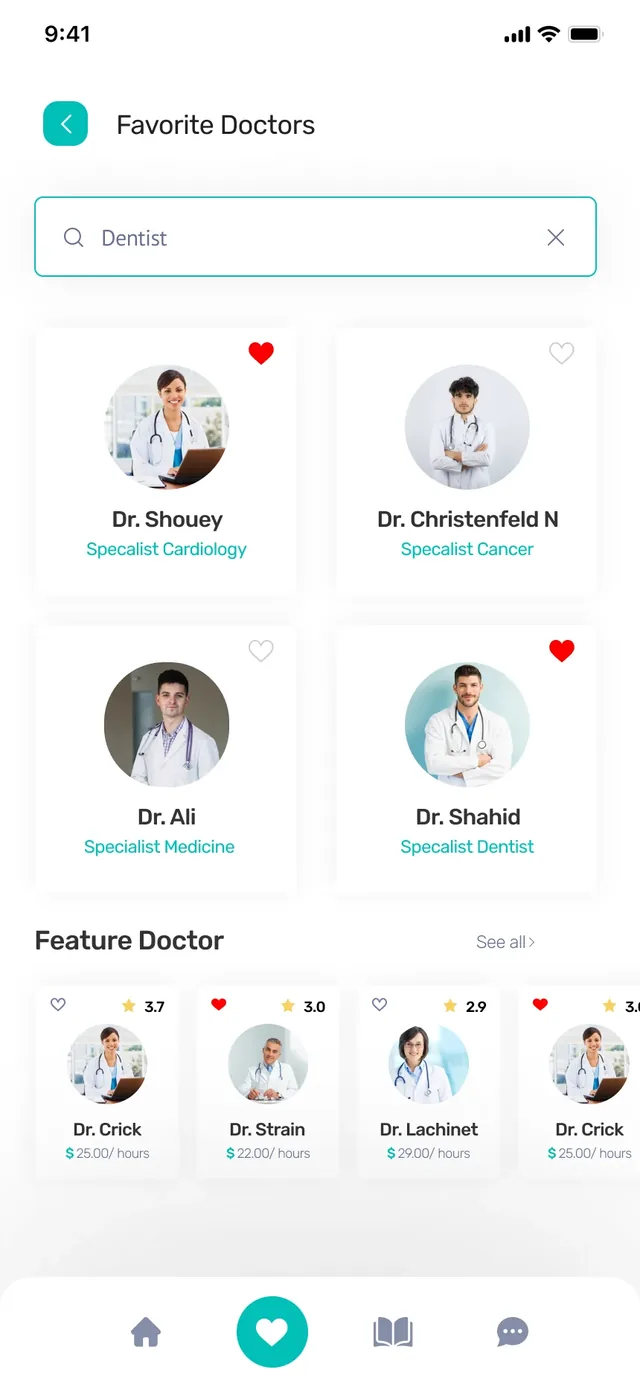
The My Doctors list shows each doctor’s specialty, years of experience, satisfaction rate, number of patient stories and next available slot, with a “Book Now” button on every card — giving patients the three trust signals they asked for. A Favourite Doctors grid with specialty search (e.g. “Dentist”) makes rebooking quick.
05 / 10
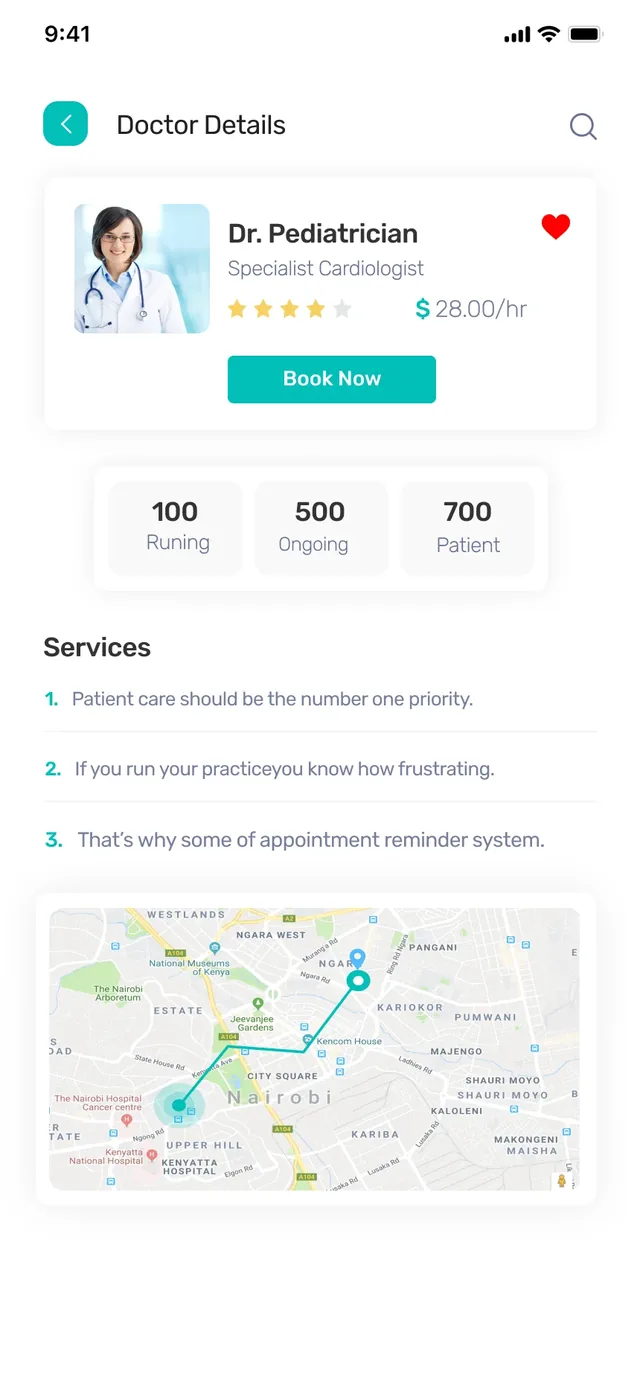
The doctor profile combines photo, specialty, rating and hourly fee with key stats (running, ongoing and total patients), a list of services and a map showing the clinic location, so patients know exactly who they’re seeing and where.
06 / 10
Booking happens in three short steps, so patients go from a doctor’s profile to a confirmed appointment without leaving the flow:
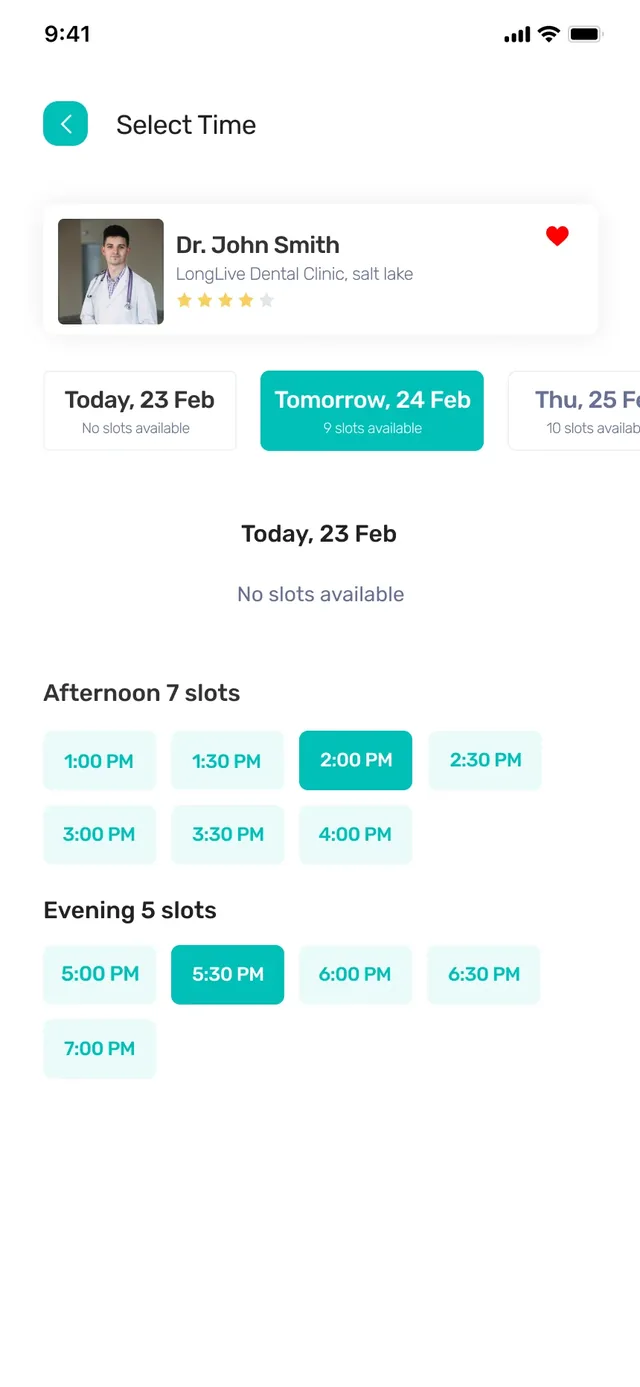
Step 1 · Select time
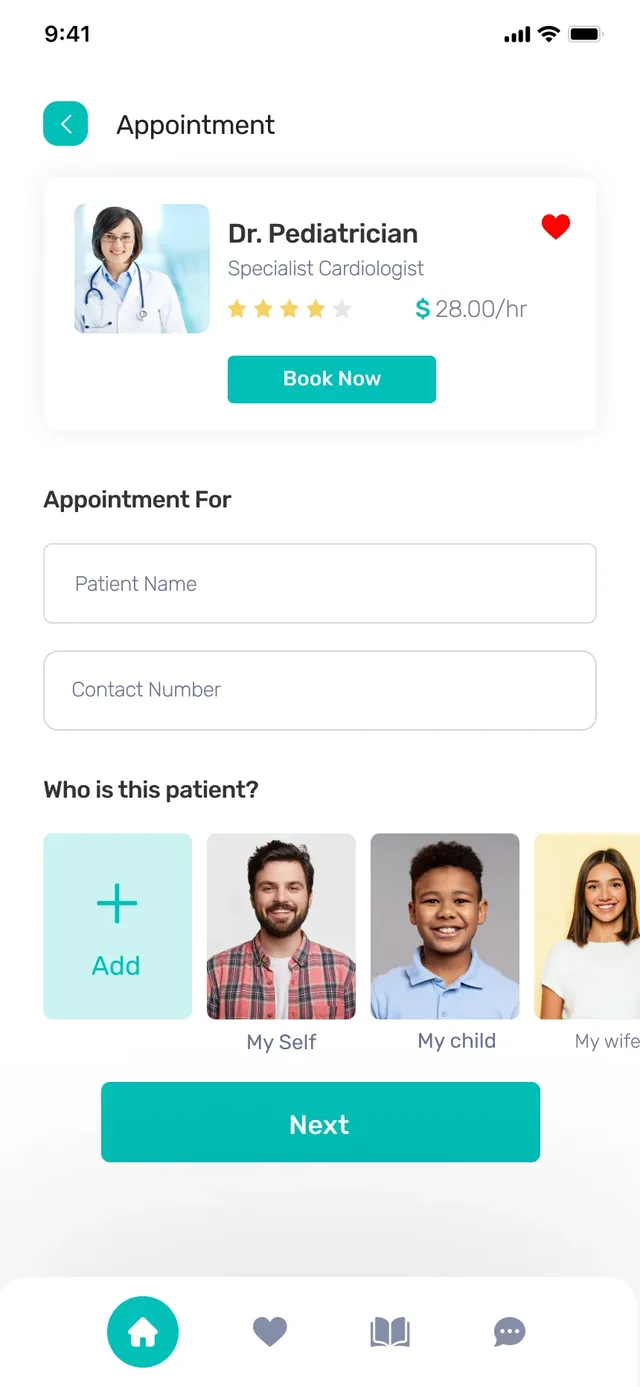
Step 2 · Appointment for
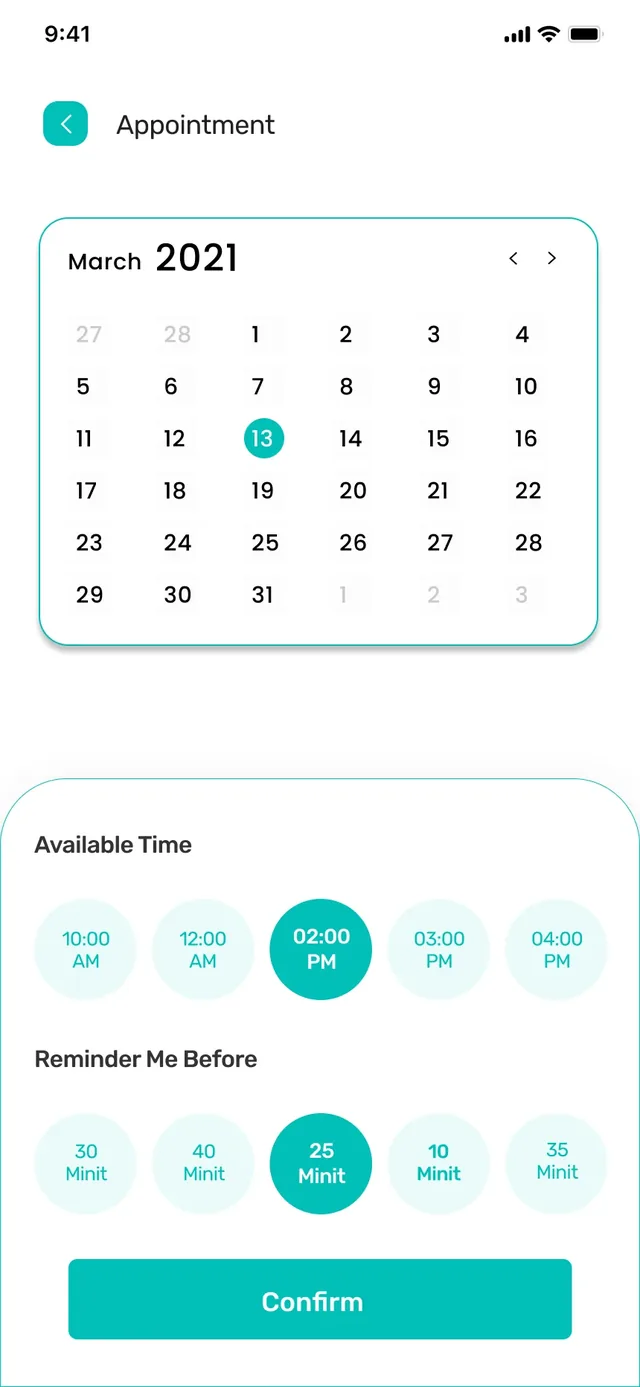
Step 3 · Confirm
07 / 10
A full-screen live session lets doctors share health information while patients follow along and comment in real time — bringing a telemedicine and community experience into the app.
08 / 10
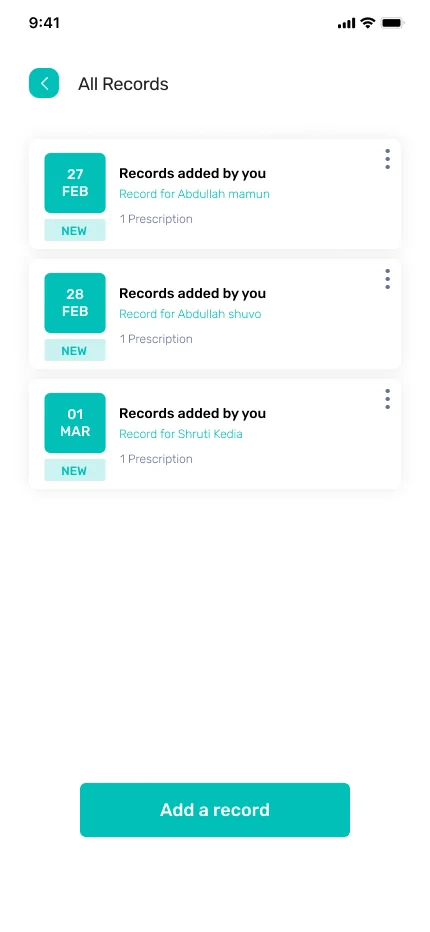
All Records keeps prescriptions organised by date and family member, with a clear “Add a record” action, so patients can share their history with any doctor.
09 / 10
The Medicine Orders hub covers guides to ordering, prescription issues, order status, delivery, payments and refunds, and returns. Friendly empty states (“No order placed yet”) and a location permission screen guide users with a clear next step instead of a dead end.
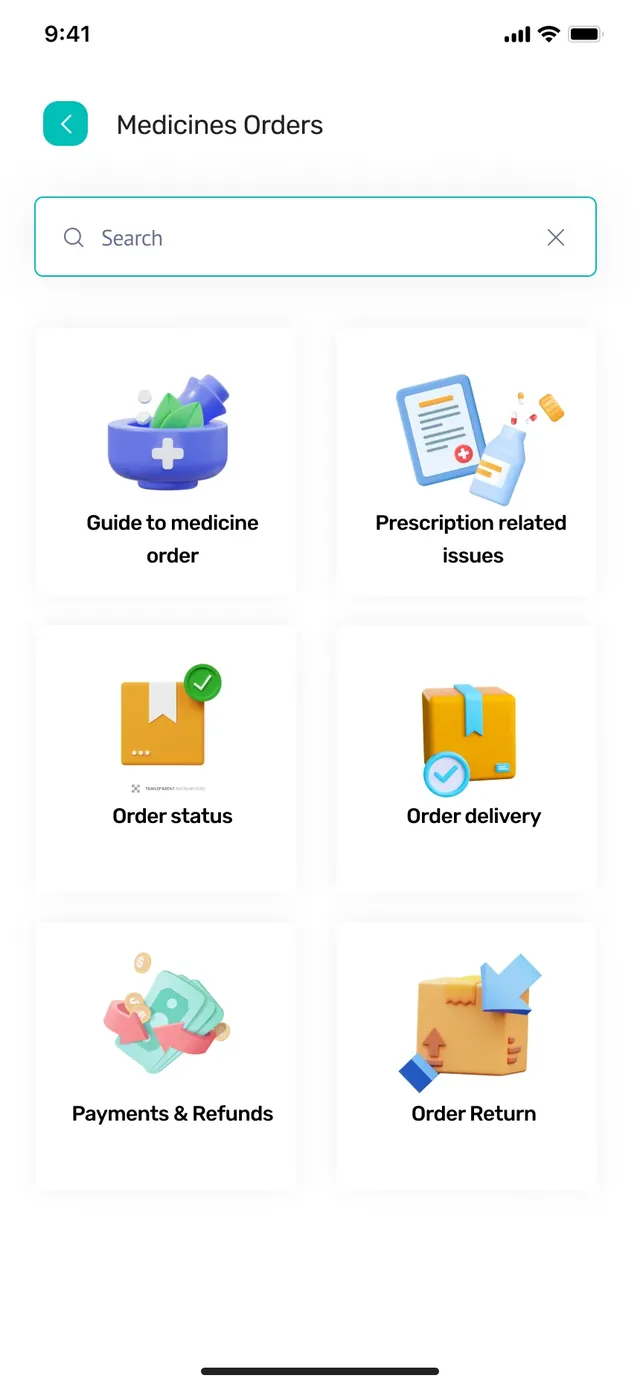
Orders hub
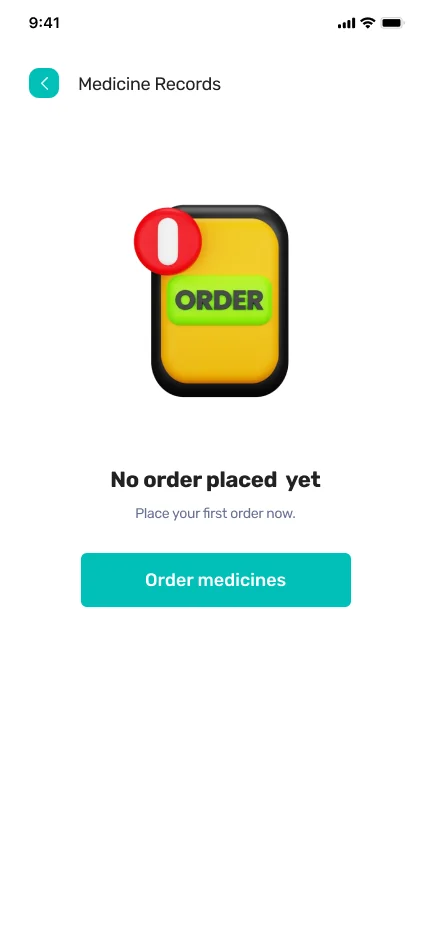
Empty state
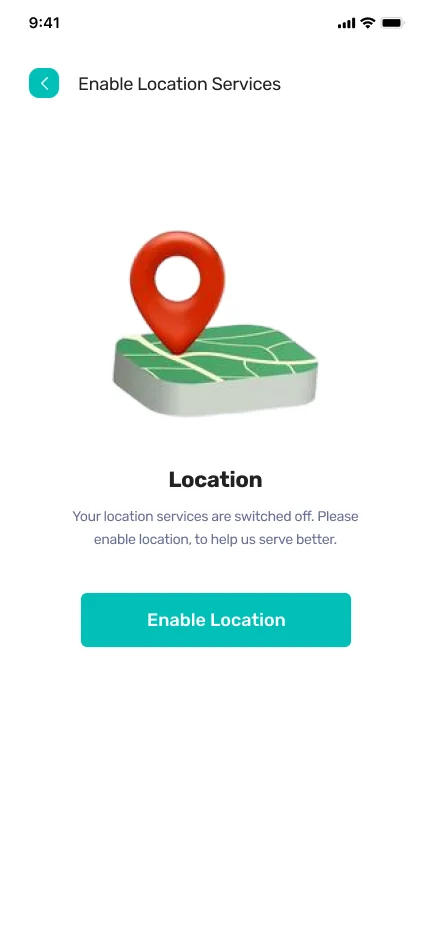
Location
10 / 10
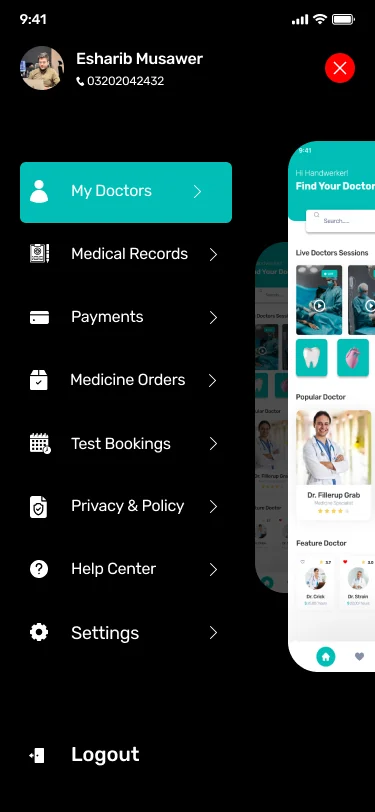
A side menu gives one-tap access to My Doctors, Medical Records, Payments, Medicine Orders, Test Bookings, Privacy Policy, Help Center and Settings, while a bottom tab bar keeps Home, Favourites, Records and Chat always within reach.
Colour
#01BFB7
Teal · primary
#FFFFFF
White · clinical
#141422
Night · login & menu
#111111
Ink · text
Type
Find your doctor
Search by name, specialty or clinic, then book in a few taps.
Components
Running
100
Patients
Ongoing
500
Patients
Total
700
Patients
MediGuide was a full product build, not a design hand-off. The same team carried it from research to a tested app in the stores.
6 stages · scroll to follow the journey
stakeholder workshops, patient interviews, competitive analysis and journey mapping.
onboarding, doctor discovery, booking, live sessions, records and medicine orders, prototyped and tested.
a documented Figma component library shared by design and engineering.
iOS and Android apps, the backend and APIs behind them, booking, reminders and live sessions.
functional, device and usability testing on every release before it reached patients.
app store release, monitoring and ongoing improvements.
Showing specialty, experience and patient feedback on every doctor card builds trust before booking.
Grouped time slots and a three-step booking flow make scheduling fast.
Family booking and records turn MediGuide into a whole-household health app.
Helpful empty states and permission screens keep users moving instead of stuck.
Where we work
Can't find what you need? Talk to our team.
A complete healthcare app UI/UX design like MediGuide typically takes 6–10 weeks, depending on the number of features and user flows.
Doctor search and profiles, real-time availability, booking and reminders, secure login, medical records, payments and support. Telemedicine and medicine ordering add extra value.
Yes. AI can power smart appointment scheduling, doctor recommendations, appointment reminders, chat support and voice receptionists.
Yes. AleyaAI designs and develops secure healthcare and telemedicine apps for iOS, Android and web.
From doctor discovery to appointment booking and medical records, we design and build healthcare apps patients trust.