01
Double bookings
availability lived in notebooks and chat threads, so day and night slots were often booked twice.

A two-sided booking platform for Assan Booking, designed, built and tested by AleyaAI: a guest app to discover, compare and book farmhouses around Karachi, and an owner app to list properties, manage availability, take payments and track revenue.
Farmhouses around Karachi are booked for family trips, weddings, birthdays and corporate events — yet most owners still manage bookings through phone calls, WhatsApp messages and notebooks. Double bookings, unclear payments and missed revenue are common. Faraz Khan wanted to change that with Assan Booking (“asaan” means easy): a farmhouse booking app that lets owners run their entire business from their phone. AleyaAI designed and built both sides of the platform. The guest app lets families and event planners browse farmhouses by area, filter by price, guests, bedrooms and AC, watch short videos, check live availability, chat with hosts and book in a few taps. The owner app covers secure login, a revenue dashboard, multi-farm management, a step-by-step farm registration flow, a colour-coded availability calendar, booking creation with payments, invoices and settings — all on one shared design system, then development, QA and launch on iOS and Android.
Through interviews with Faraz Khan and farmhouse owners, we found five core problems:
01
availability lived in notebooks and chat threads, so day and night slots were often booked twice.
prices change by month, weekday, and day versus night stays.
advance payments, cash, online transfers and outstanding balances were hard to track.
owners with several farmhouses had no single view of performance.
owners couldn’t easily see revenue, occupancy or upcoming bookings.
Guests faced their own problems:
01
farmhouses were found through word of mouth, Facebook groups and scattered phone numbers.
photos, amenities, capacity and prices were rarely in one place.
guests had to call several owners just to find a free date.
without reviews or verified hosts, booking felt risky.
Stakeholder workshops with Faraz Khan to map the booking lifecycle from enquiry to checkout.
Interviews with farmhouse owners and staff in Karachi.
Competitive analysis of hotel PMS tools, vacation rental apps and local booking platforms.
“Owners think in slots (day, night, full stay) and outstanding balance — so the calendar and payment summaries had to show exactly that.”
What success looked like, and how we measured it.
Eliminate double bookings
Booking conflicts per month
Register a farm in under 5 minutes
Time to complete farm registration
Create a booking with payment in under 2 minutes
Time to save a new booking
Make revenue and occupancy visible at a glance
Dashboard usage and owner feedback
Manage multiple farms from one account
Farms registered per owner
Two apps on one shared design system: a guest app for discover → compare → check availability → book, and an owner app for check today’s business → manage farms → take bookings → collect payments.
The guest app turns farmhouse hunting into a simple flow: discover → compare → check availability → book.
01 / 09
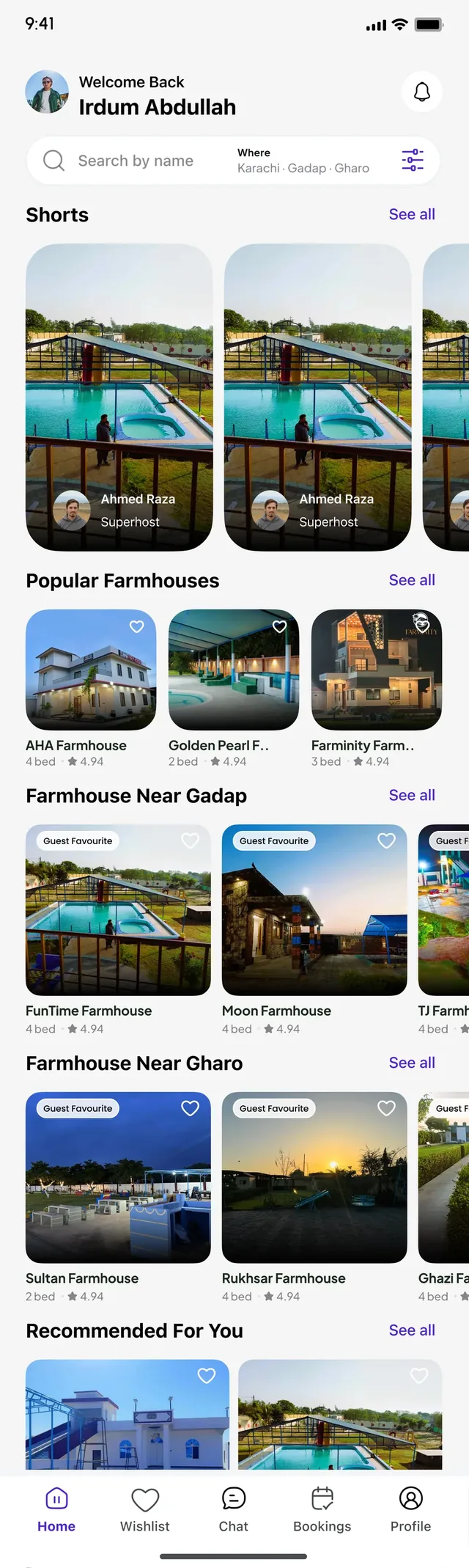
A personal greeting, a search bar with a location picker (Karachi · Gadap · Gharo) and quick filters lead into curated rows: Shorts, Popular Farmhouses, Farmhouse Near Gadap, Farmhouse Near Gharo and Recommended For You. Each card shows photo, name, bedrooms and rating, with a heart to save it.
Full screen, scrolling
02 / 09
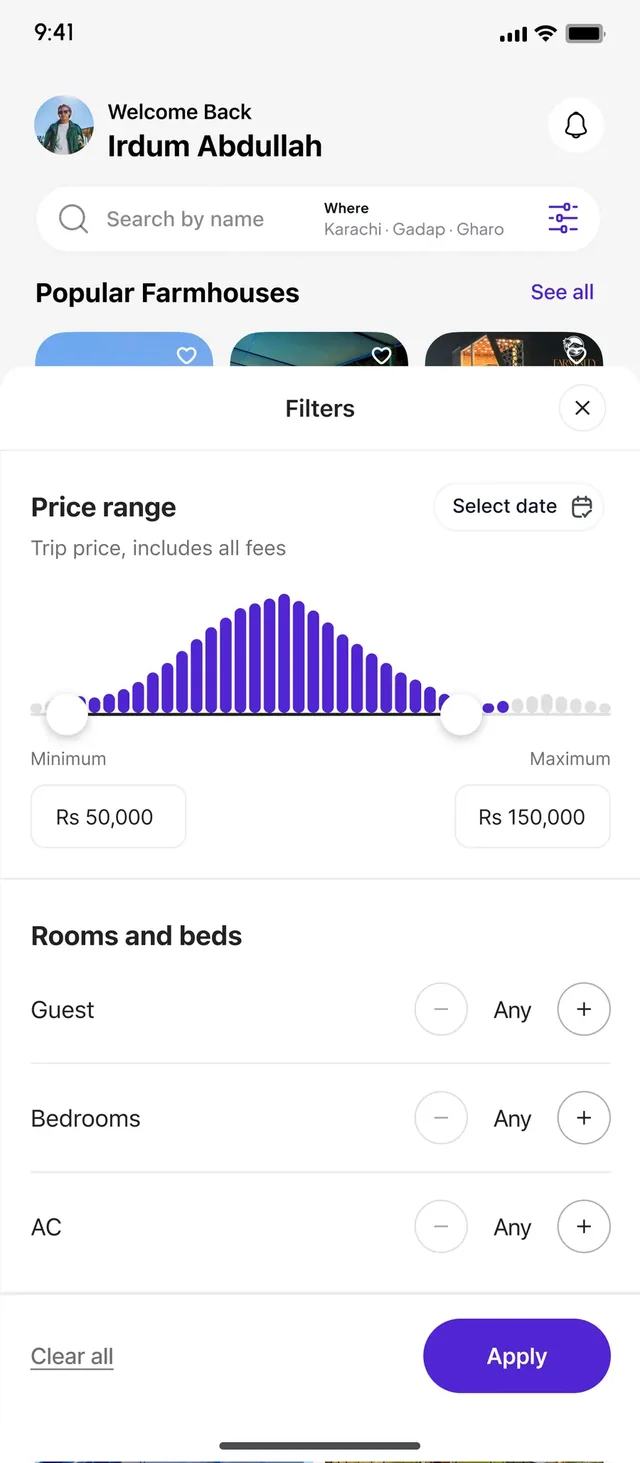
A bottom-sheet filter lets guests set a price range with a histogram of real prices, choose dates, and set the number of guests, bedrooms and AC rooms — the details that matter most for farmhouse stays.
03 / 09
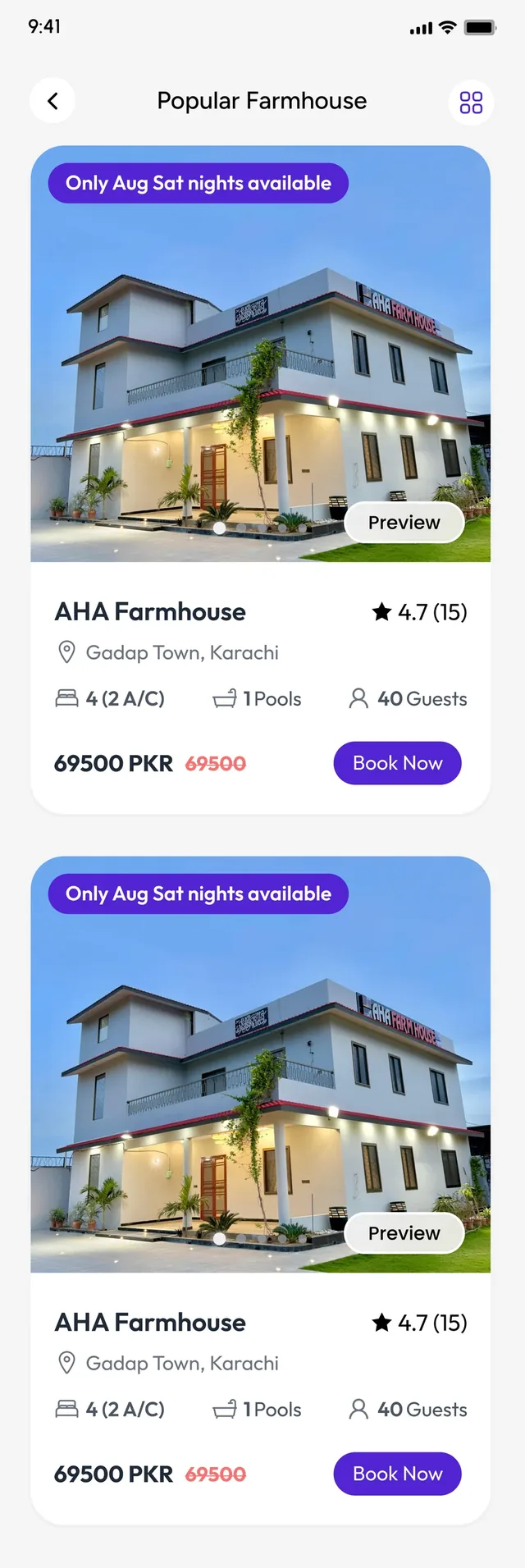
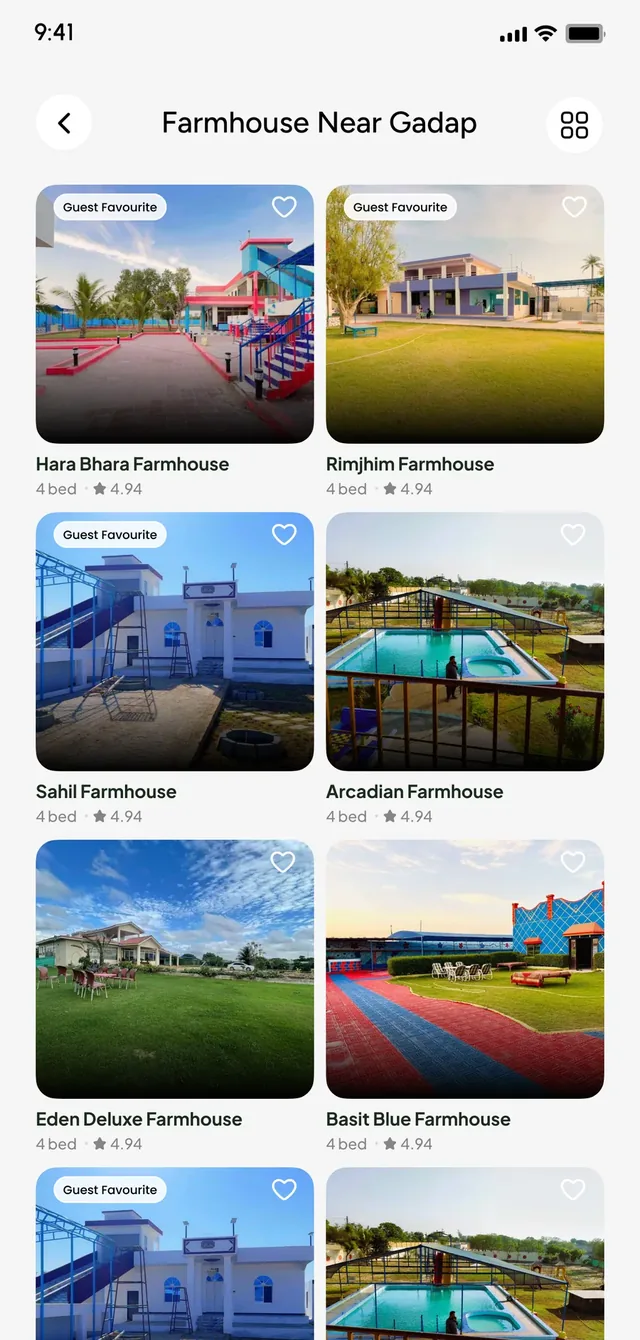
Dedicated listing pages such as Farmhouse Near Gadap and Popular Farmhouse show a two-column photo grid with “Guest Favourite” badges, bedrooms and ratings. A list view adds location, AC rooms, pools, guest capacity, price in PKR and an urgency tag like “Only Aug Sat nights available”, with a direct Book Now button.
Full screen, scrolling
04 / 09
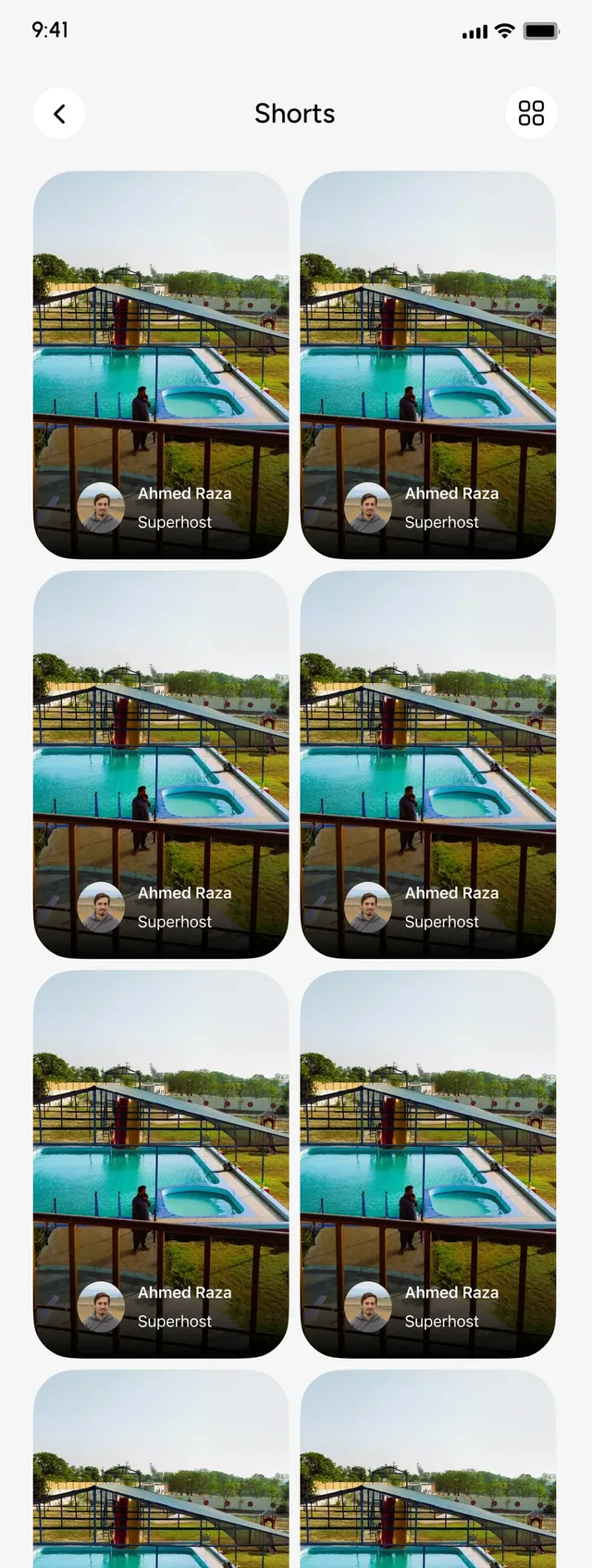
A vertical Shorts feed lets guests watch short video tours of farmhouses from hosts — the fastest way to judge pools, lawns and atmosphere before booking.
Full screen, scrolling
05 / 09
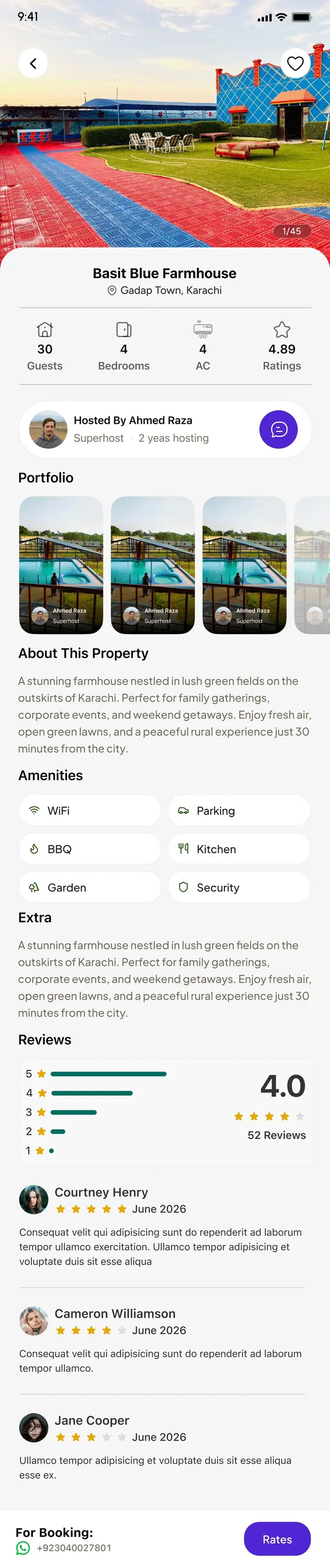
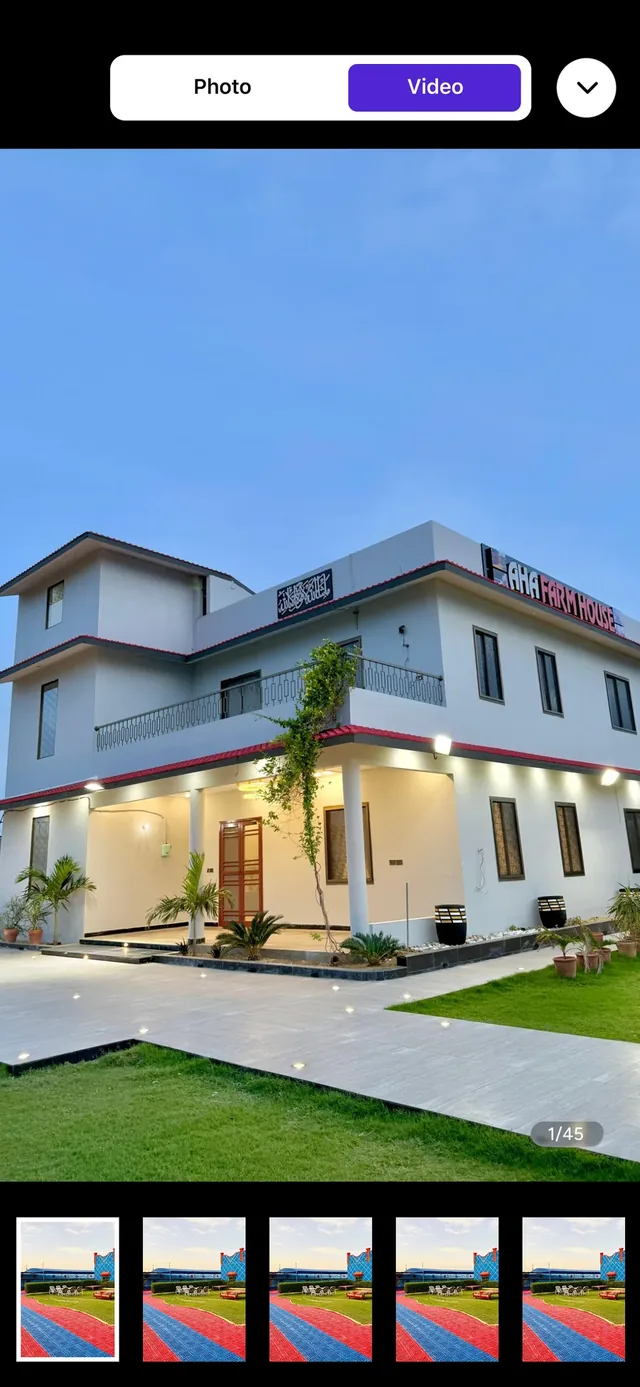
The details page opens with a full-width photo carousel (1/45), then the essentials: guests, bedrooms, AC rooms and rating. A host card shows the Superhost badge, hosting experience and a chat button. Below are the description, amenities (Wi-Fi, parking, BBQ, kitchen, garden, security), extras and reviews with a rating breakdown. A full-screen gallery switches between photos and videos.
Full screen, scrolling
06 / 09
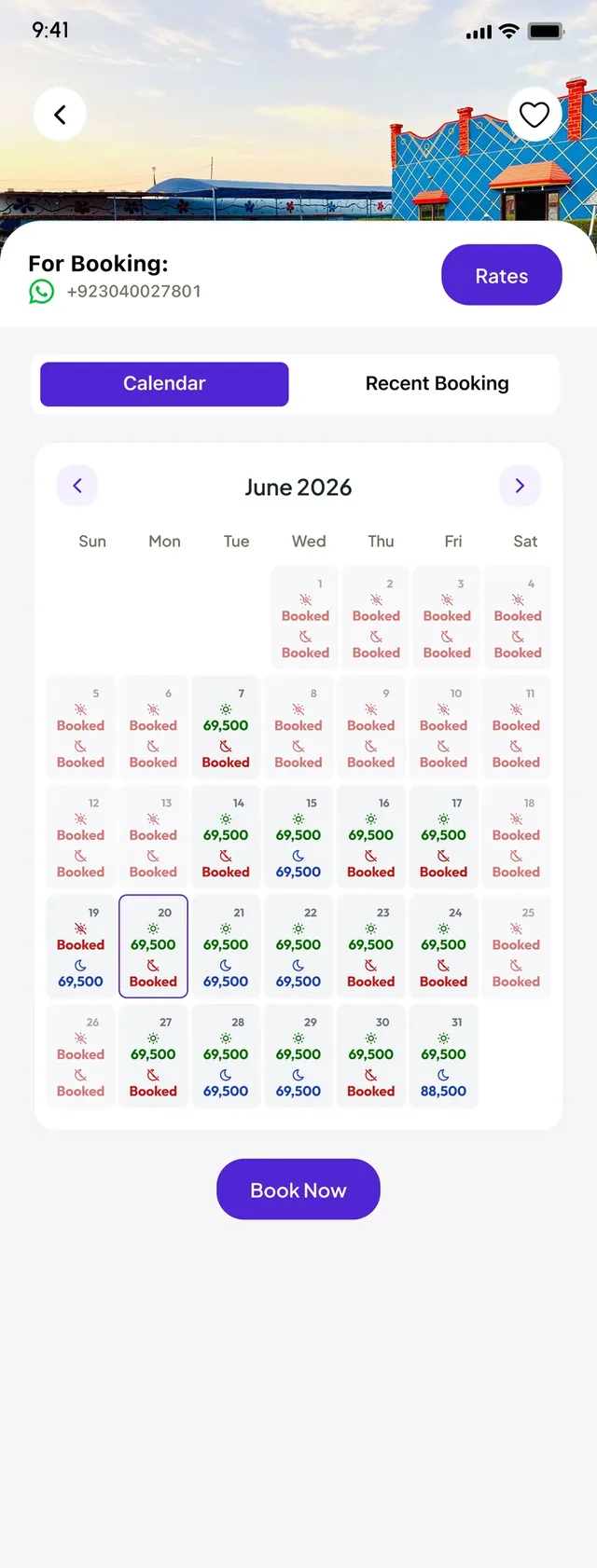
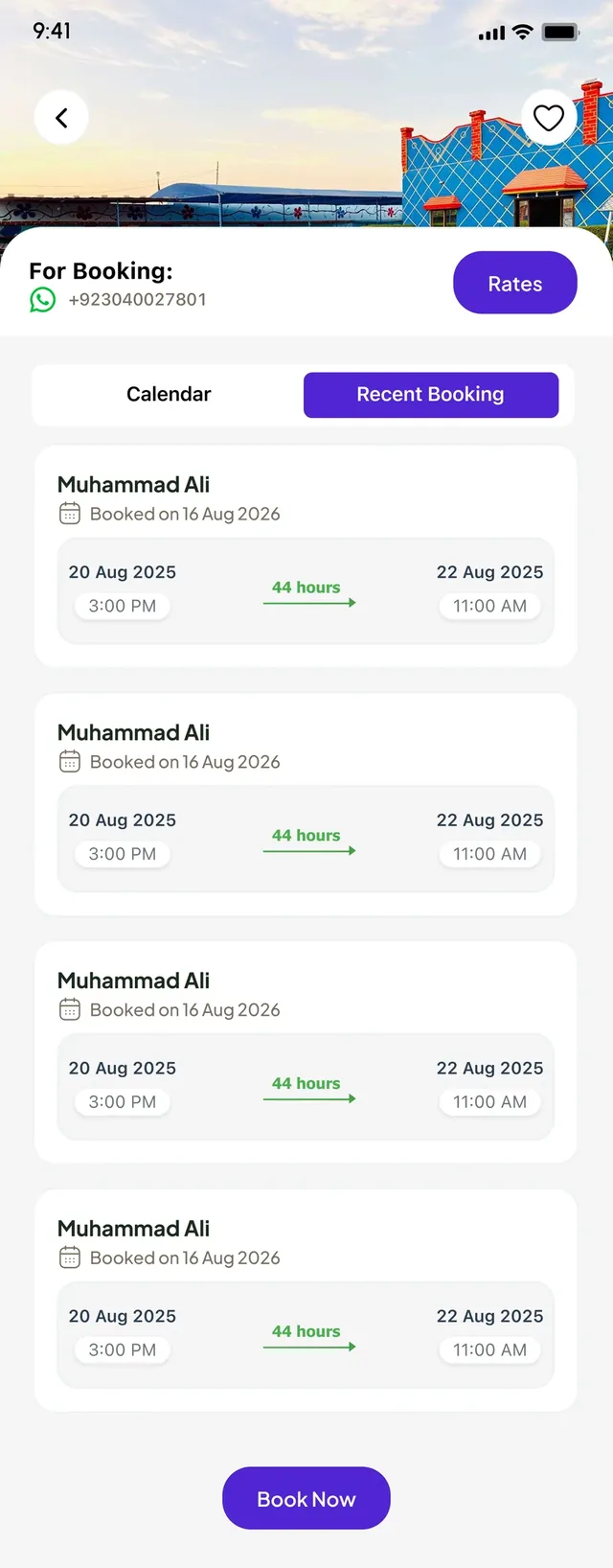
Guests see the same colour-coded availability calendar owners use, with day and night slot prices, plus a Recent Booking tab. A sticky bar shows the host’s WhatsApp number and a Rates button, so guests can book in the app or contact the host directly.
Full screen, scrolling
Full screen, scrolling
07 / 09
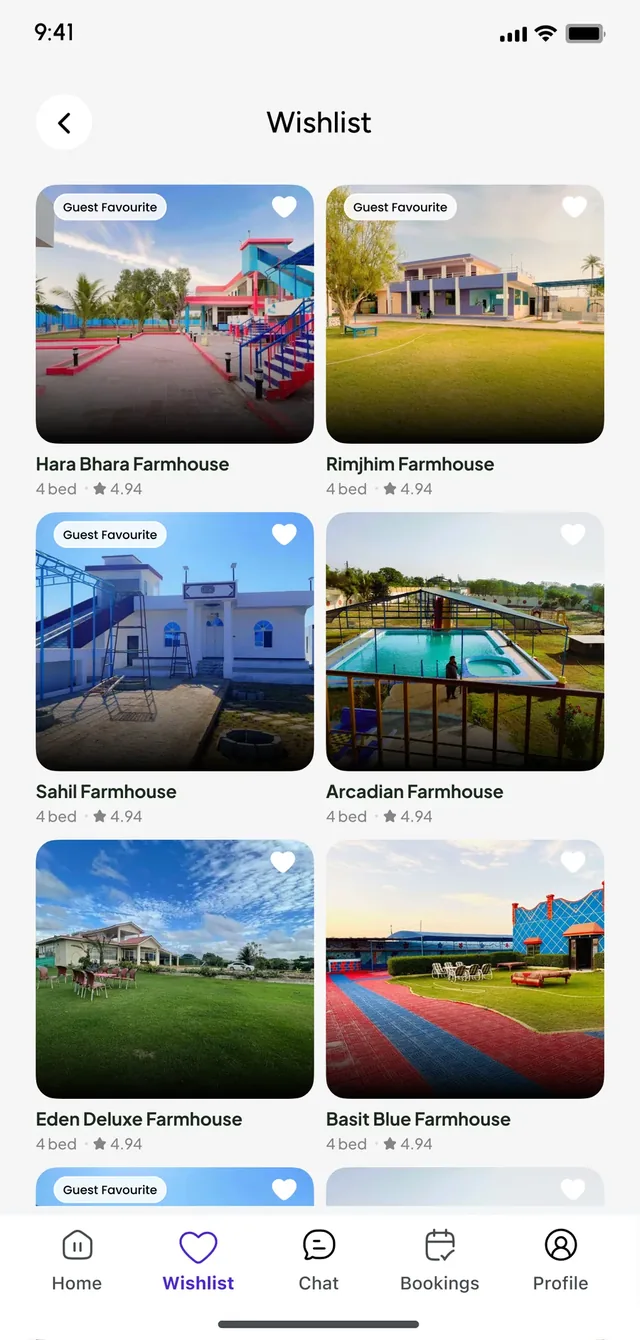
Saved farmhouses live in a Wishlist grid, making it easy to shortlist options and share them with family before deciding.
08 / 09
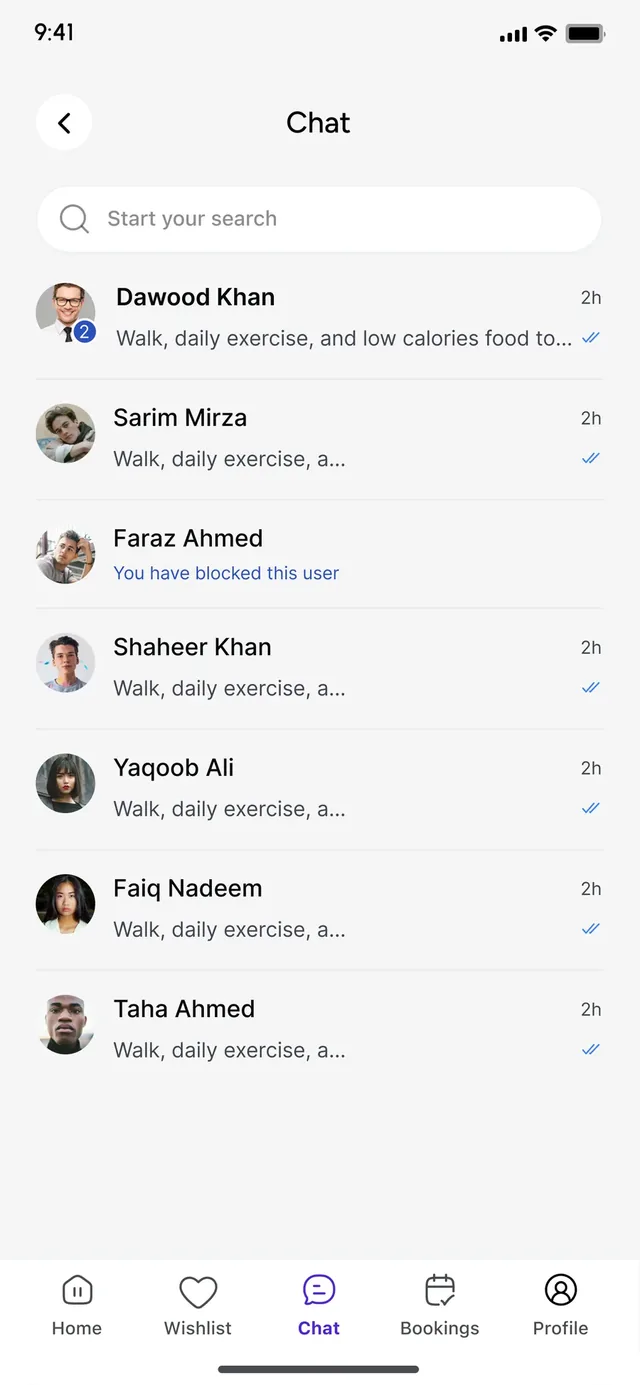
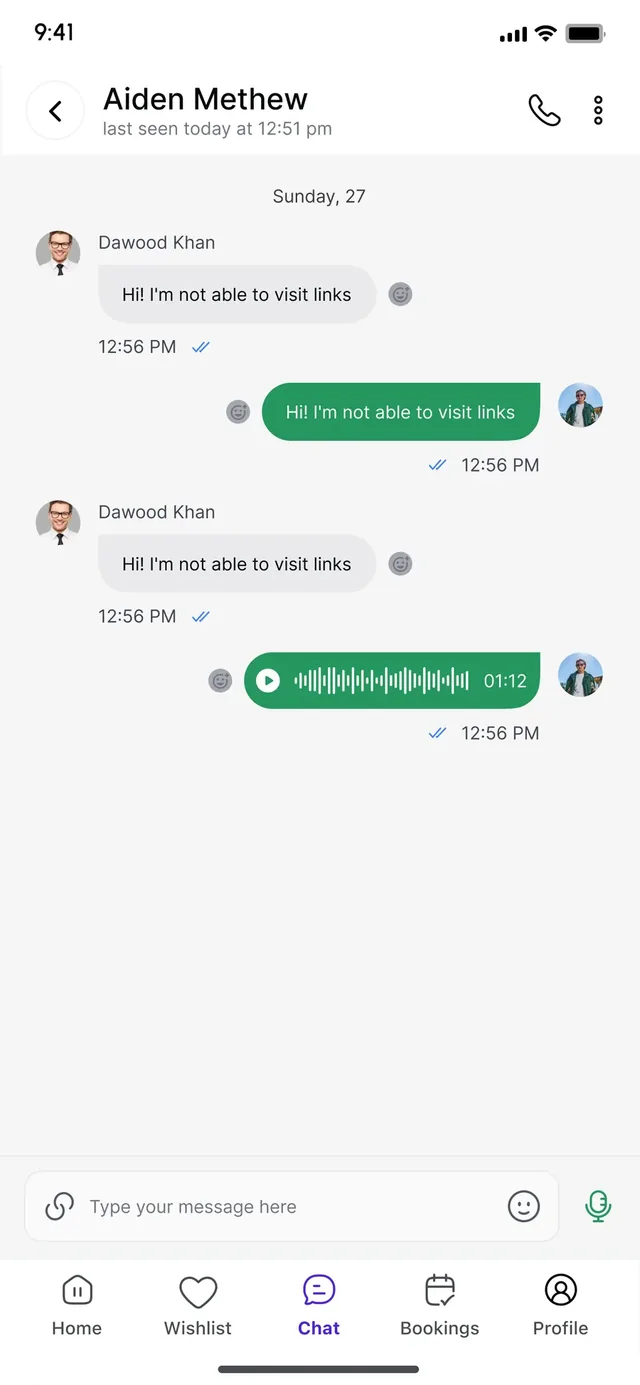
An in-app chat lets guests message hosts, send voice notes and call — with read receipts, search and the option to block users — keeping all booking conversations in one place.
09 / 09
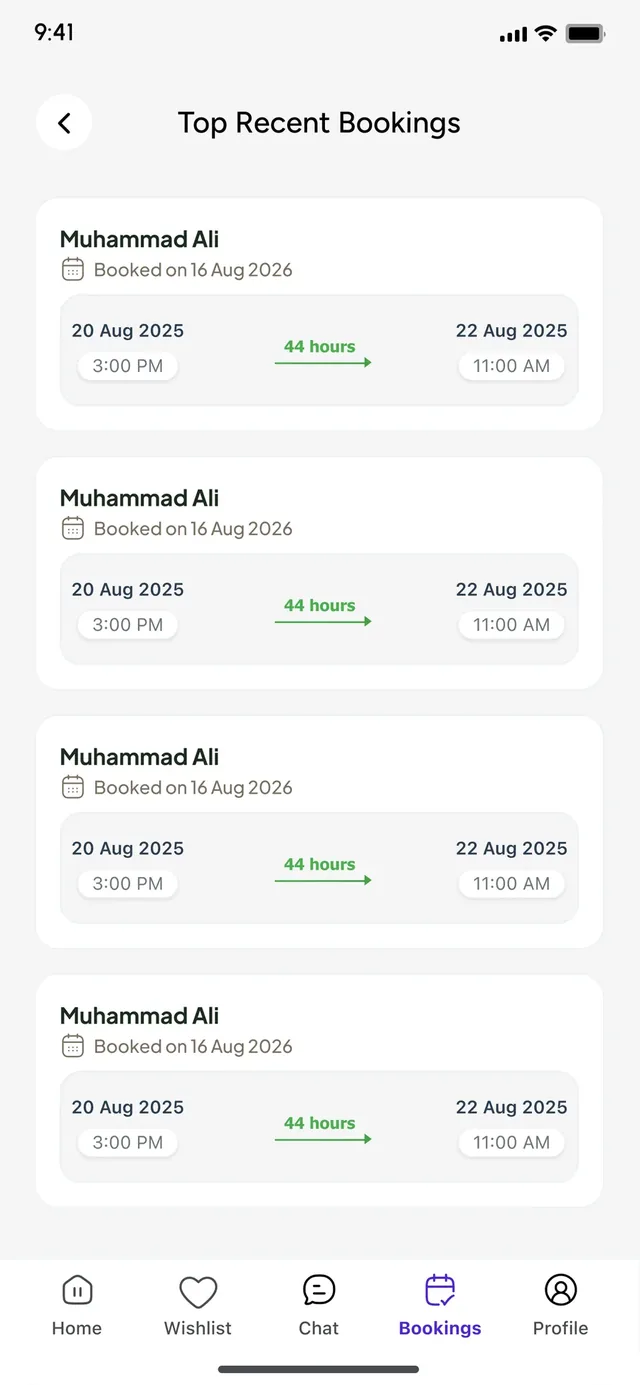
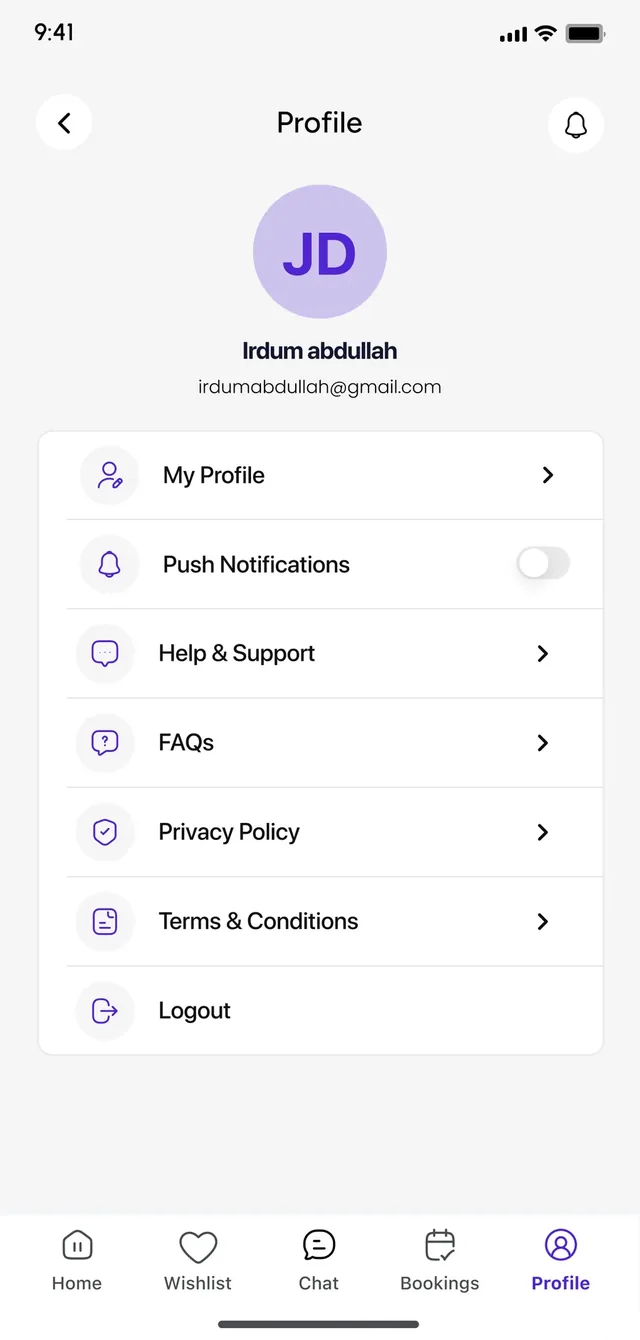
Guests can track their bookings with check-in and check-out dates and durations, and manage their profile, notifications, help and support, FAQs, privacy policy and account settings.
We built the owner app around the daily workflow: check today’s business → manage farms → take bookings → collect payments.
01 / 10
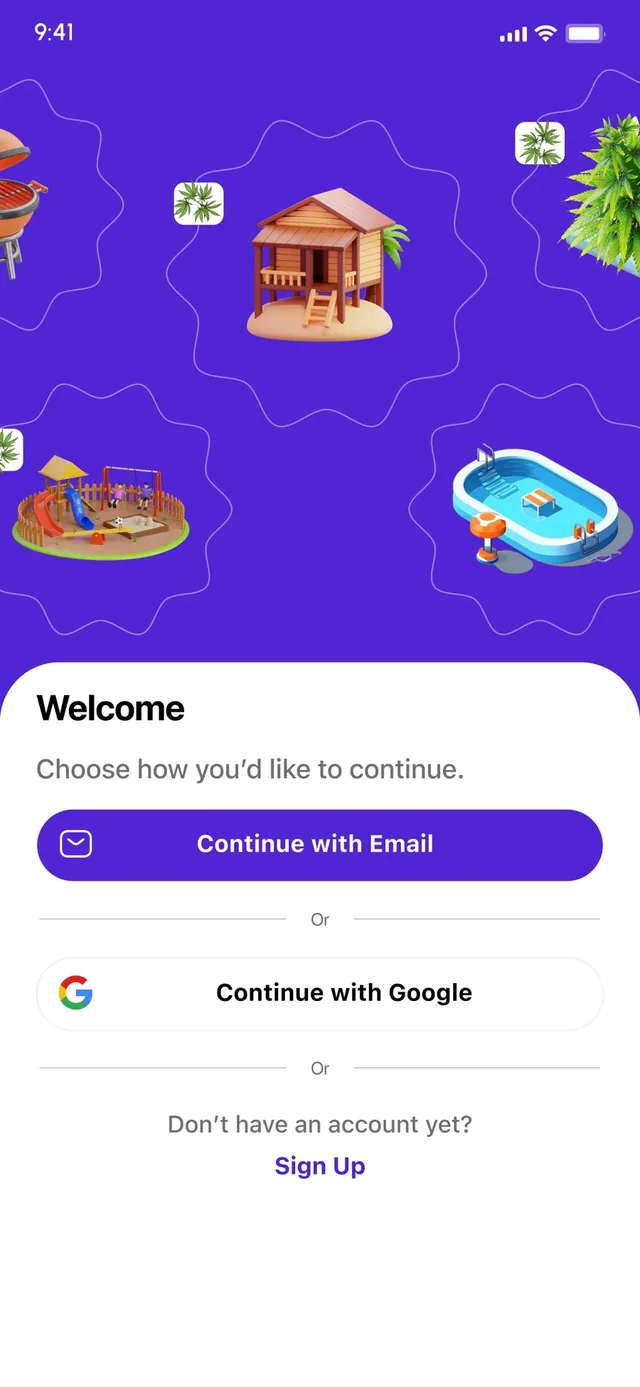
A bold violet brand with a pin-and-eye logo and line-art farmhouse pattern makes Assan Booking instantly recognisable. The welcome screen uses playful 3D illustrations — a farmhouse, pool, barbecue and play area — and offers Continue with Email or Continue with Google.
02 / 10
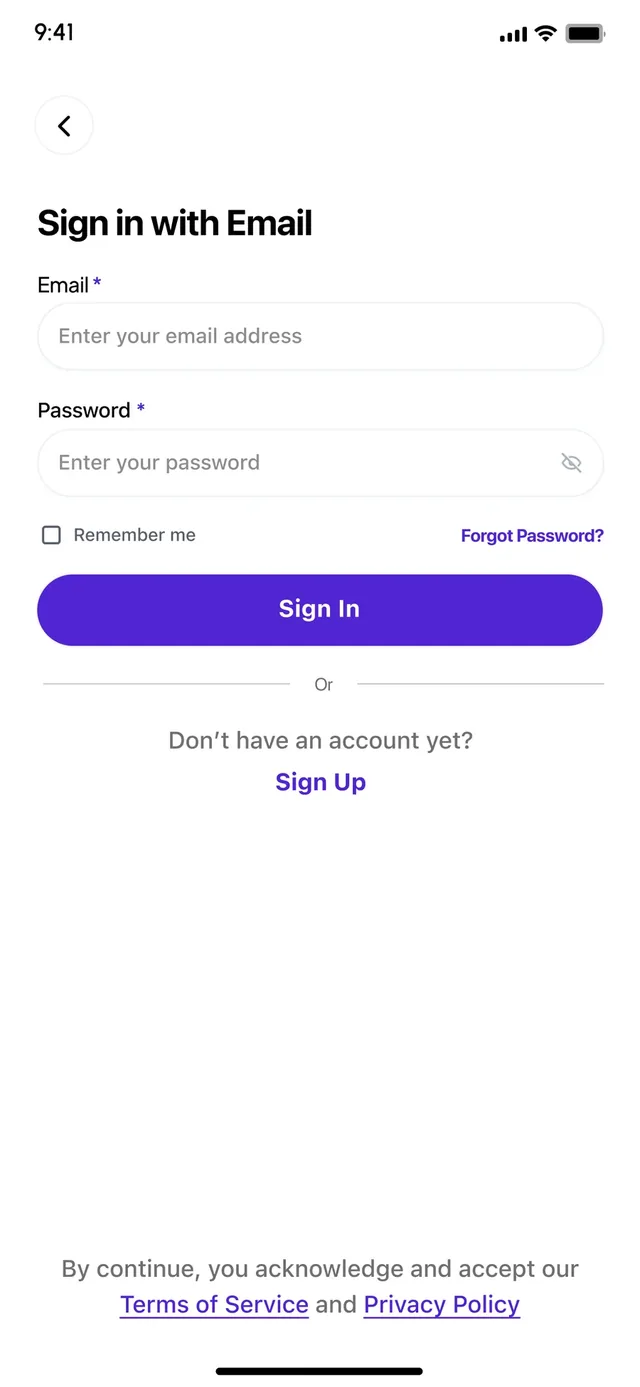
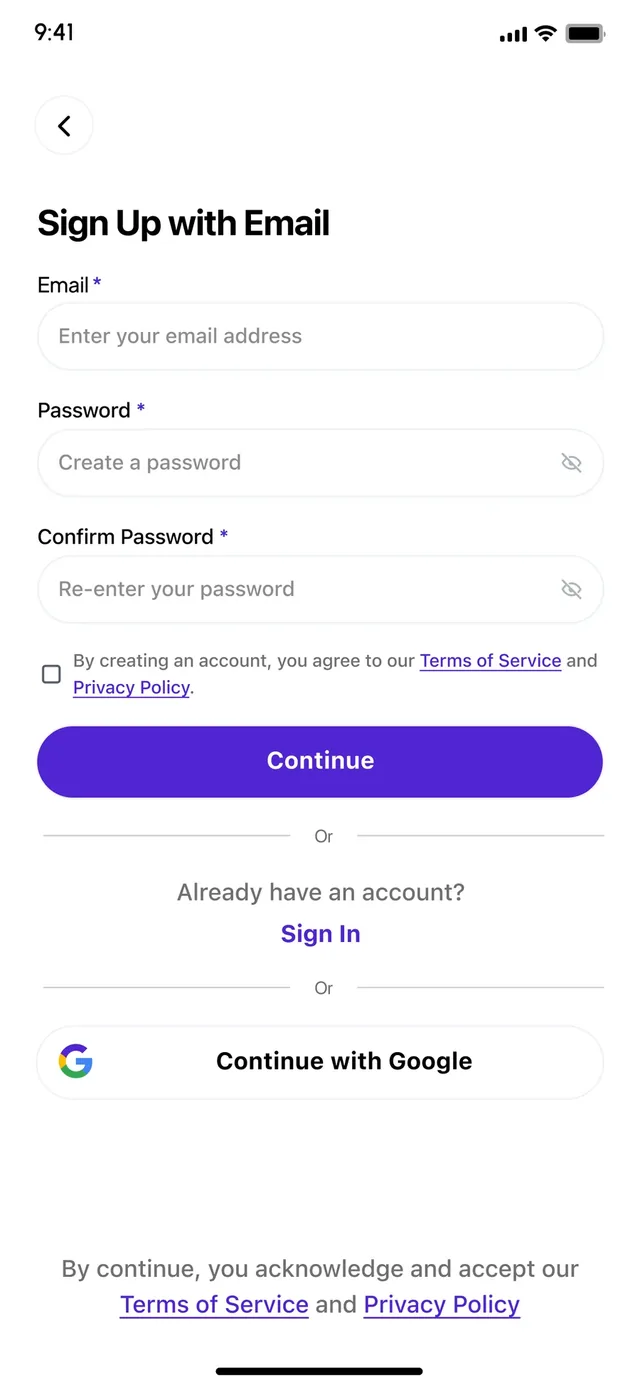
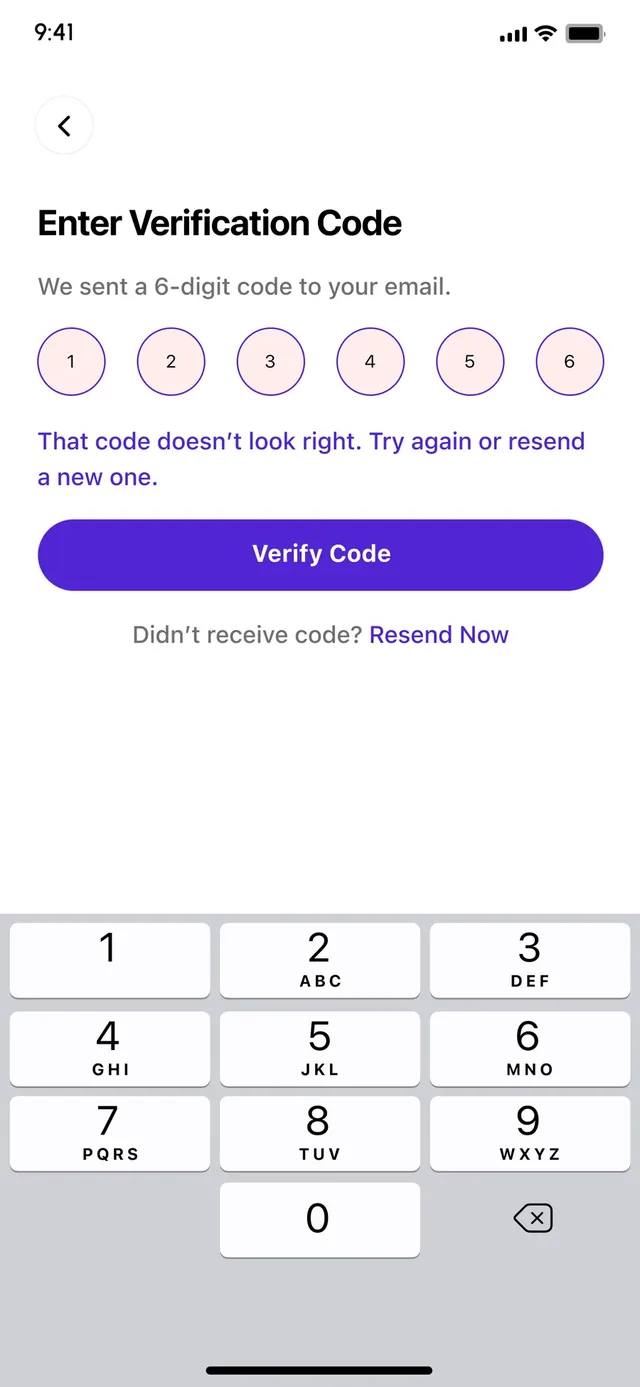
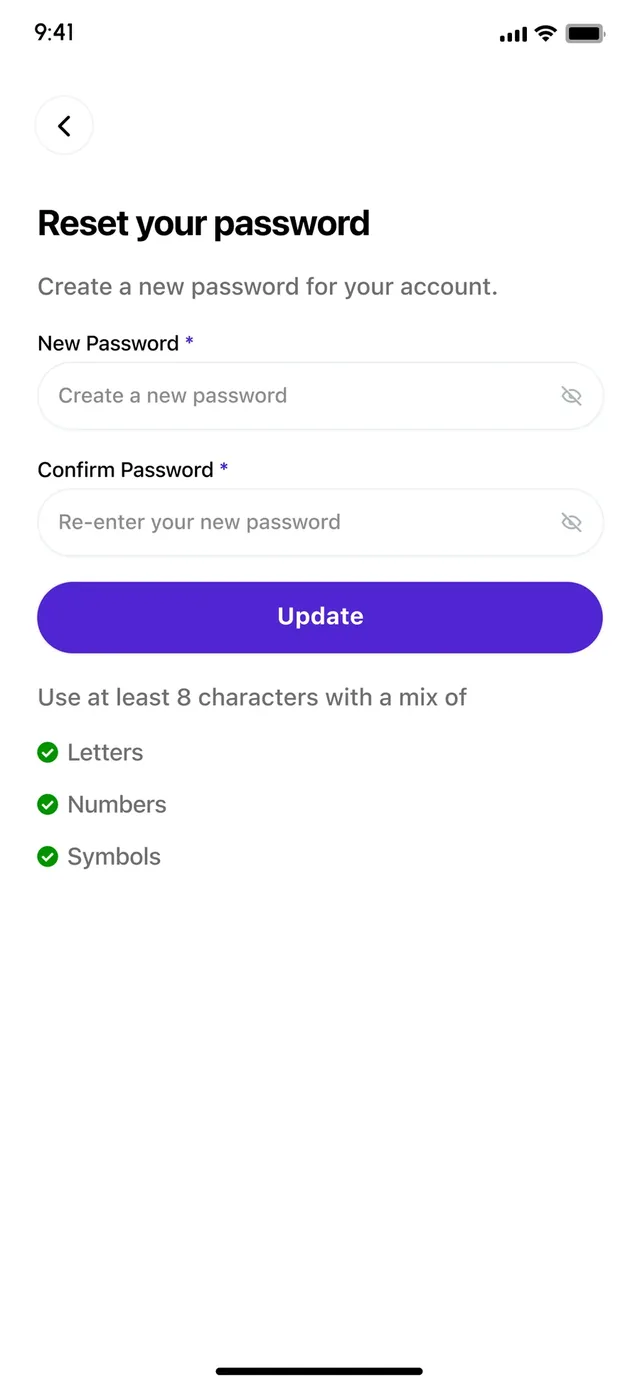
Clean, focused forms for email sign-in and sign-up, with Terms of Service and Privacy Policy consent. Password recovery runs in four steps: email, a six-digit verification code with clear error messaging and “Resend Now”, a new password with live strength checks (letters, numbers, symbols), and a success toast that returns the user to login.
Sign in
Sign up
Verification code
Reset password
03 / 10
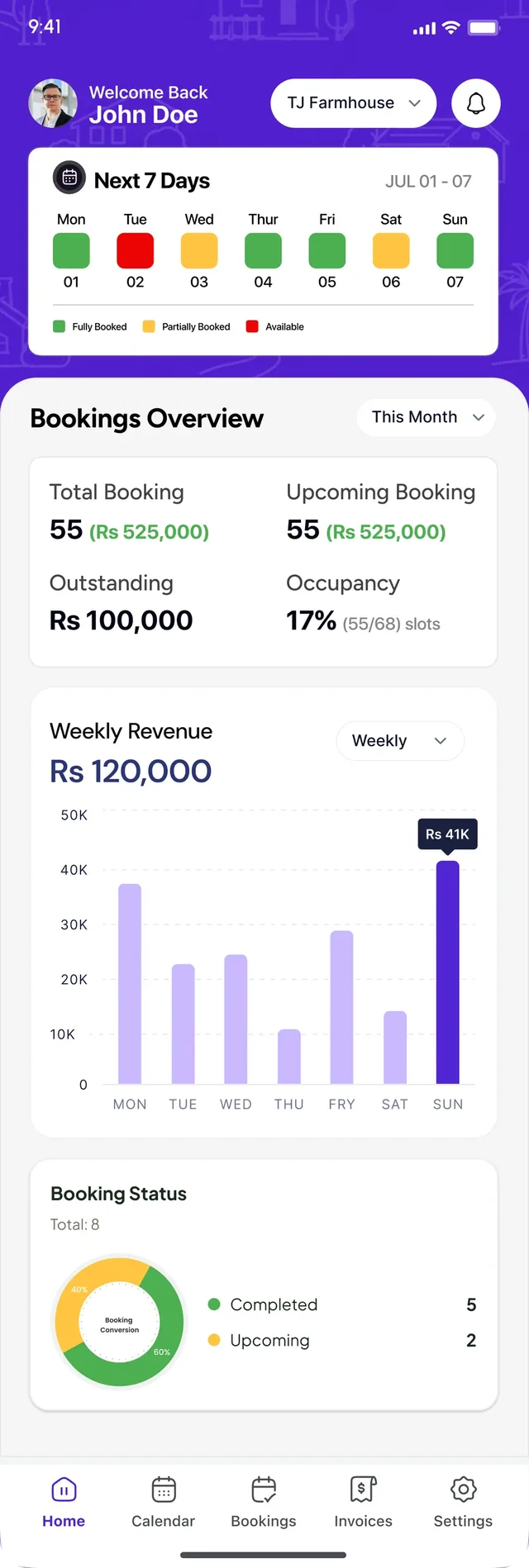
The dashboard answers an owner’s first question — how is my business doing? A farm switcher sits in the header, followed by a Next 7 Days availability strip colour-coded as fully booked, partially booked or available. Bookings Overview shows total and upcoming bookings, outstanding balance and occupancy; a Weekly Revenue bar chart and a Booking Status donut complete the picture.
Full screen, scrolling
04 / 10
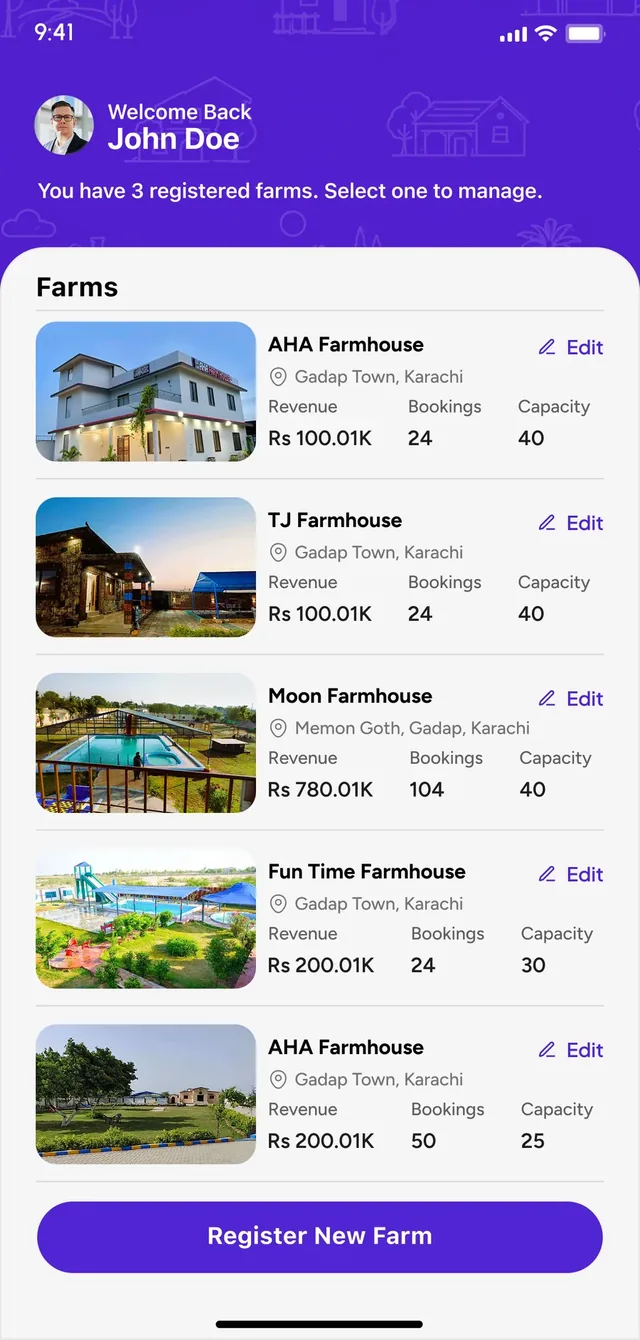
Owners with several properties see all their farmhouses in one list — photo, location, revenue, bookings and guest capacity — with quick Edit links and a prominent Register New Farm button.
05 / 10
Listing a farmhouse is broken into a four-step wizard with a visual progress tracker:
The same flow is reused for Edit Farm, so owners only learn it once.
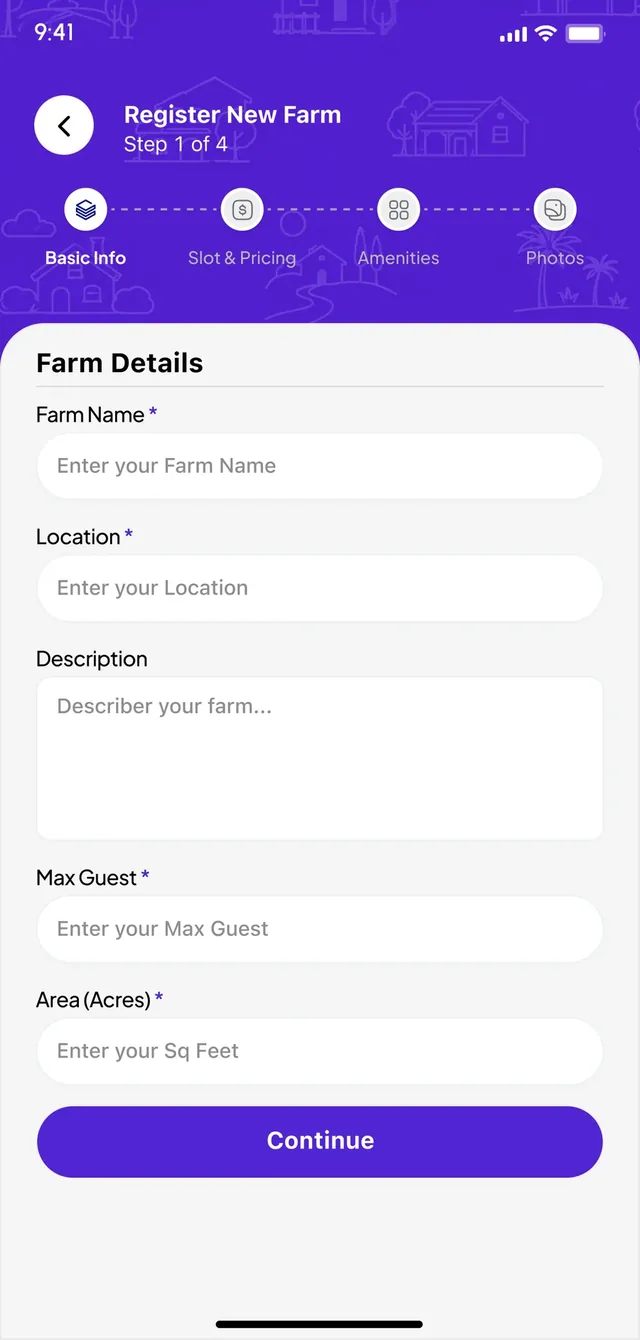
Step 1 · Basic info
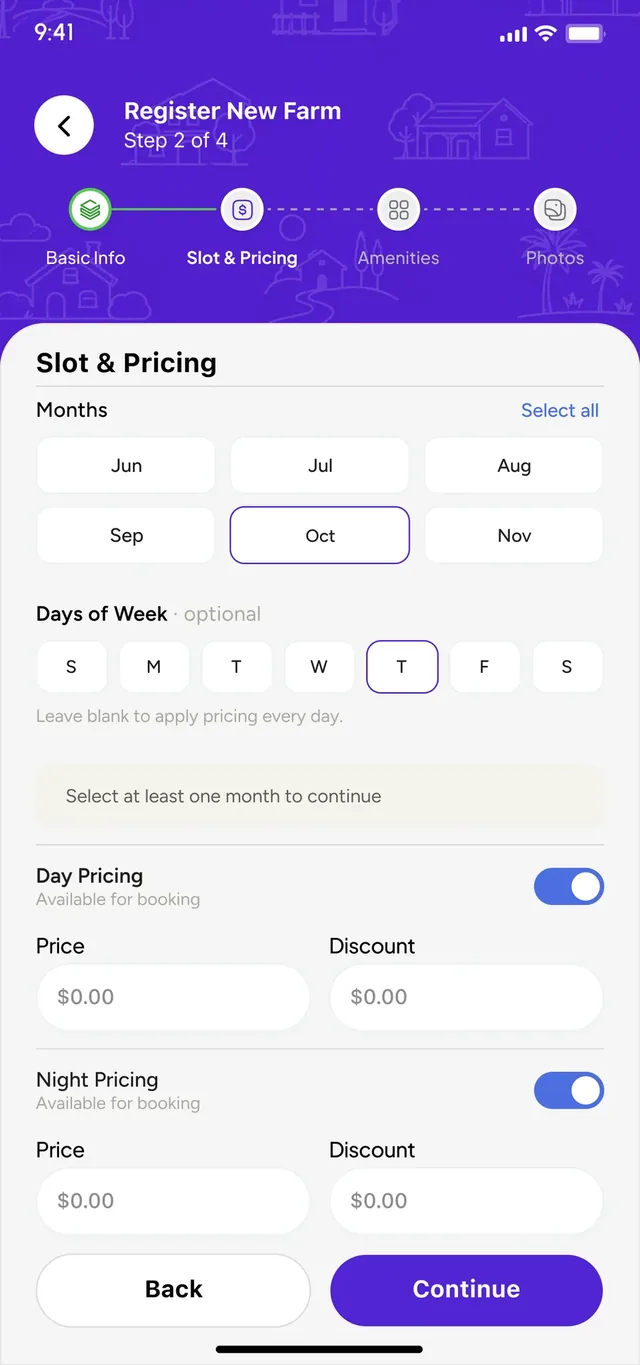
Step 2 · Slot & pricing
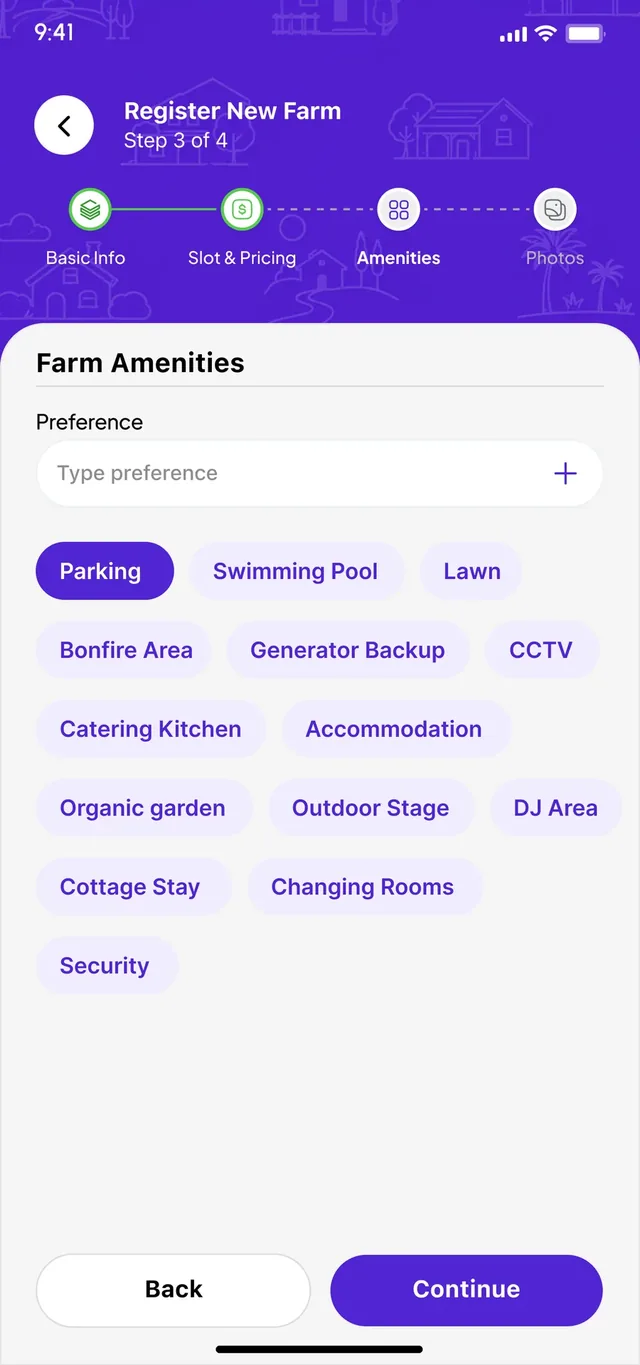
Step 3 · Amenities
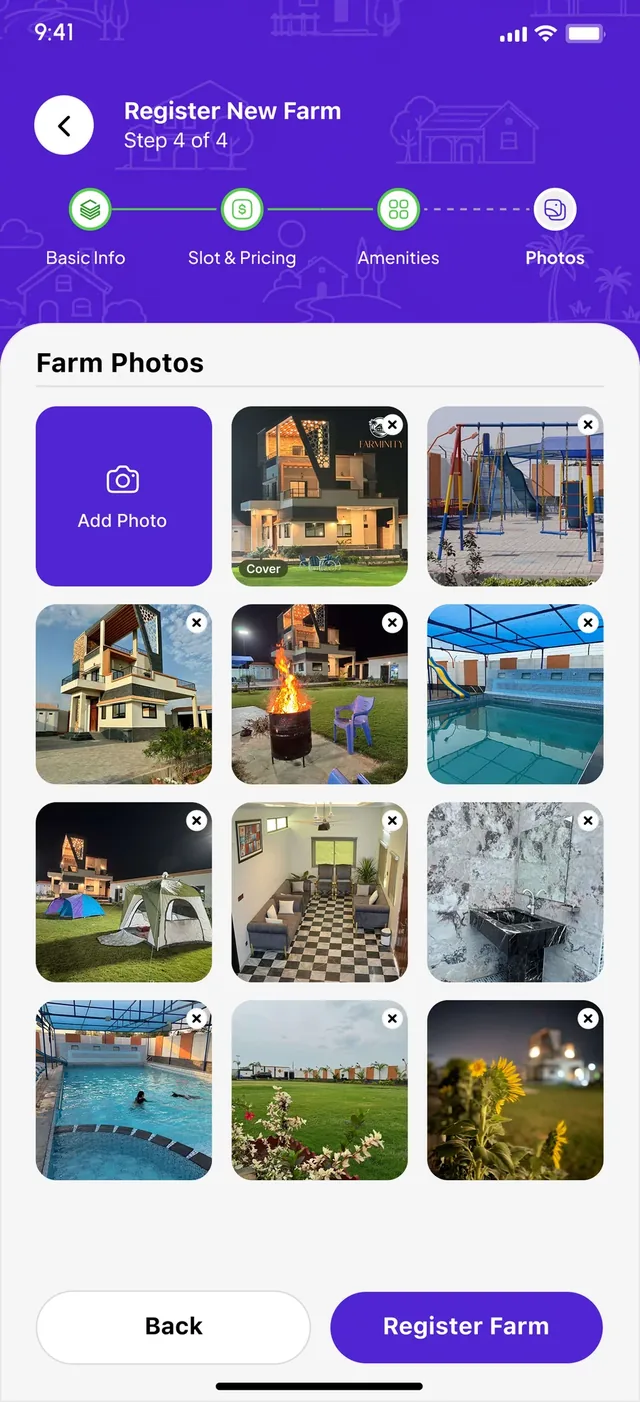
Step 4 · Photos
06 / 10
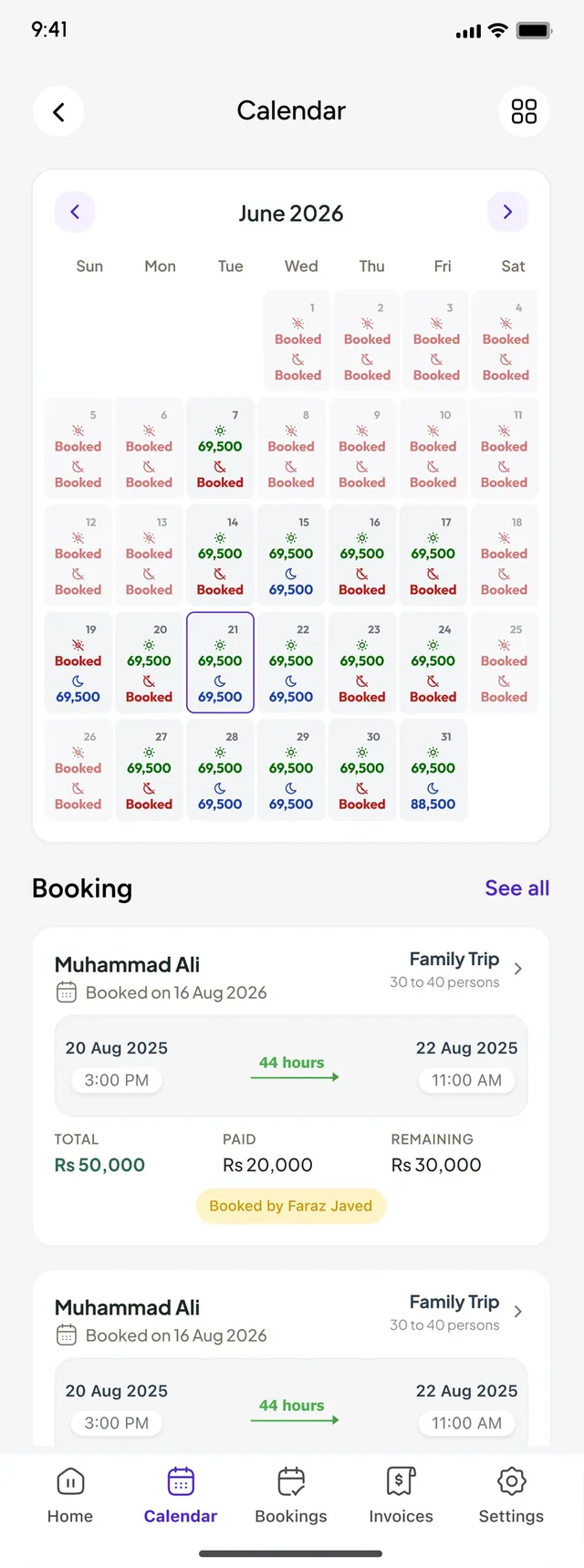
A monthly booking calendar shows every date’s day and night slots with prices and booked status at a glance, making double bookings visible before they happen. Tapping a date reveals that day’s bookings below the calendar.
Full screen, scrolling
07 / 10
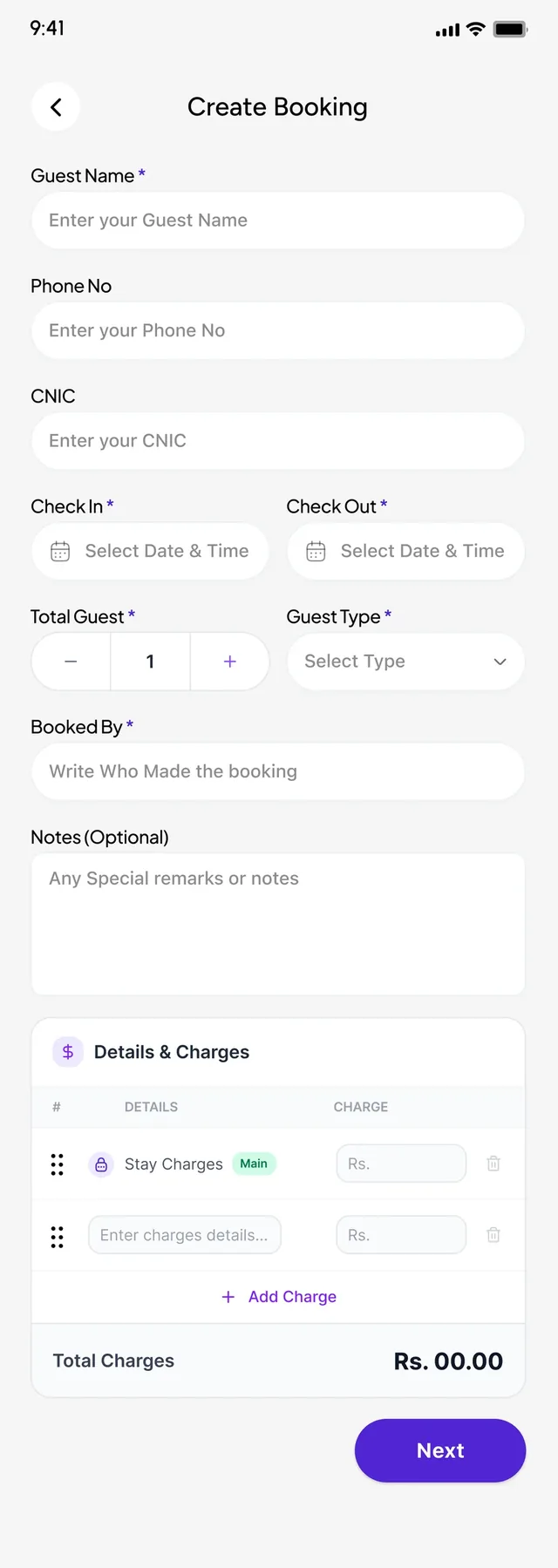
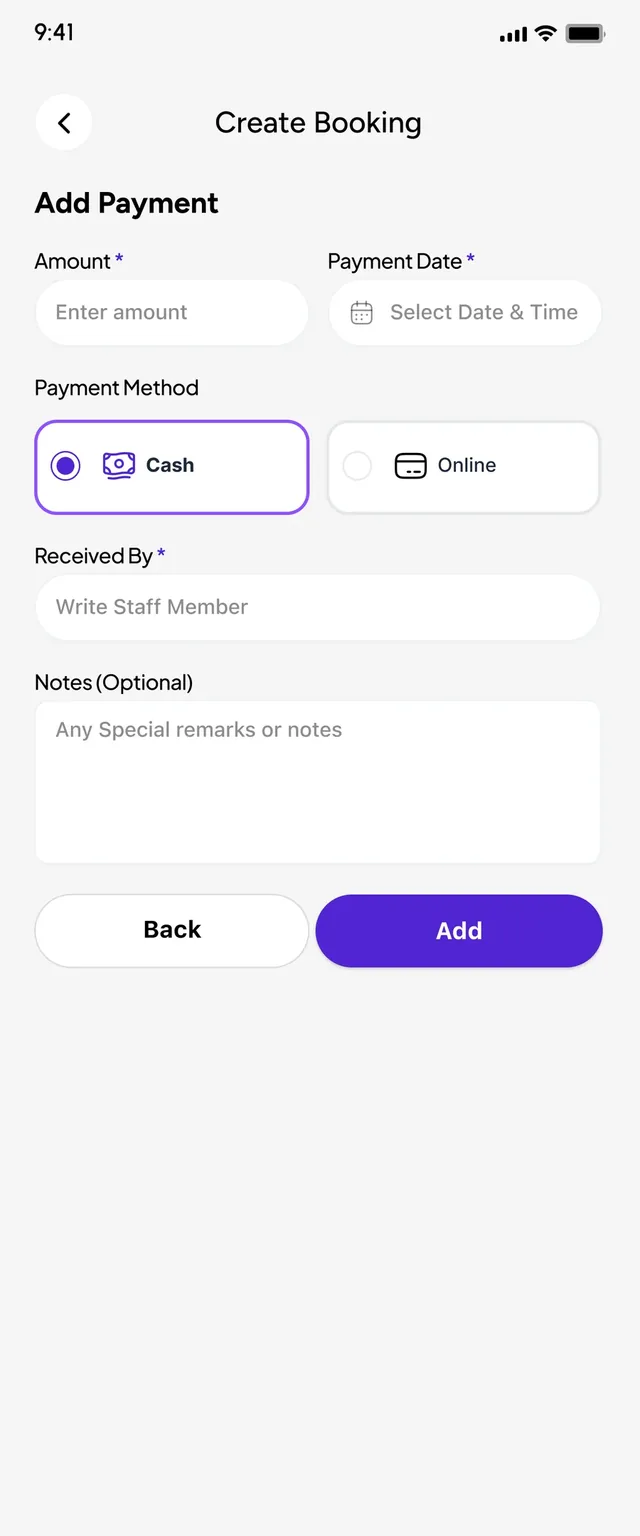
Creating a booking captures guest name, phone, CNIC, check-in and check-out, guest count, trip type and who made the booking. A Details & Charges table lets owners add stay charges and extras, then a second step records the payment — amount, date, cash or online, and the staff member who received it.
Full screen, scrolling
Full screen, scrolling
08 / 10
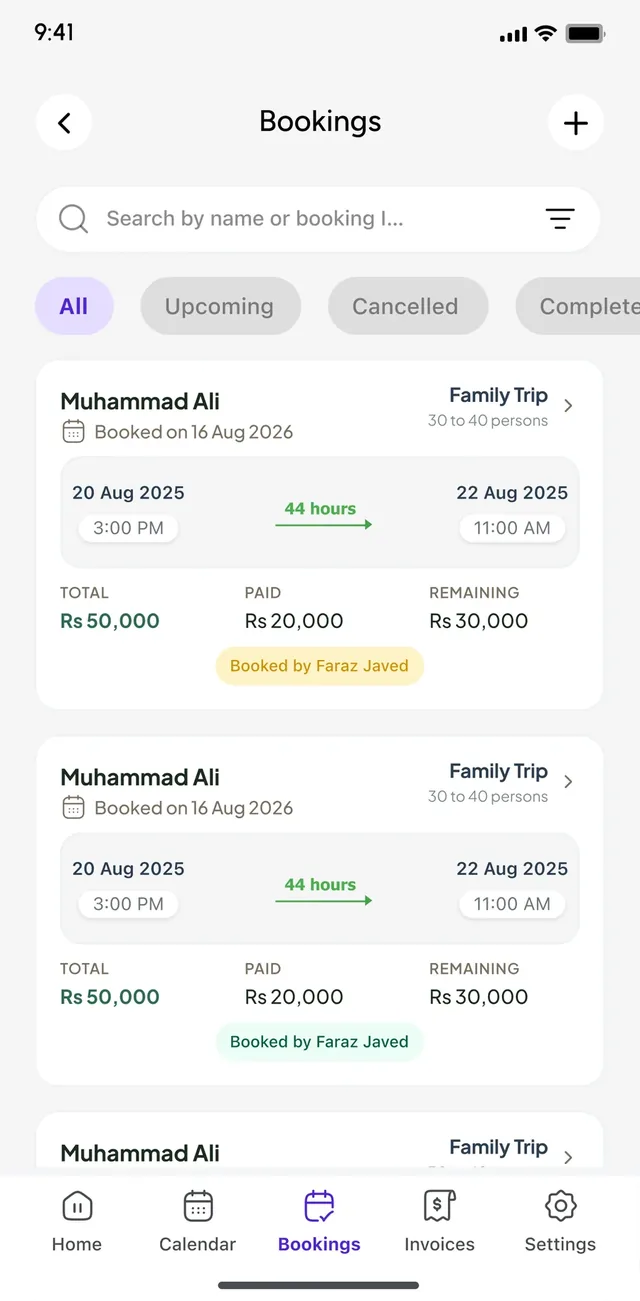
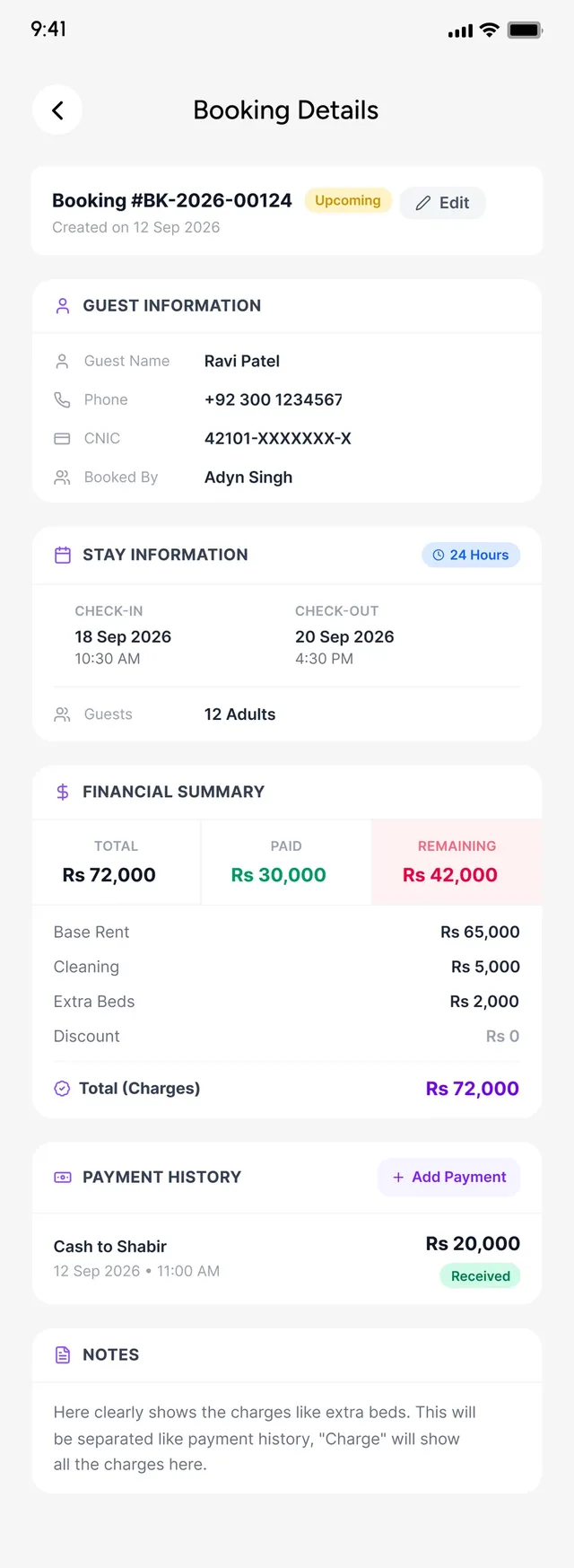
The Bookings list can be filtered by All, Upcoming, Cancelled and Completed, and searched by name or booking ID. Each card shows the stay dates, duration, total, paid and remaining balance. Booking Details brings together guest information, stay information, a full financial summary (base rent, cleaning, extra beds, discounts), payment history with an “Add Payment” action, and notes.
Full screen, scrolling
09 / 10
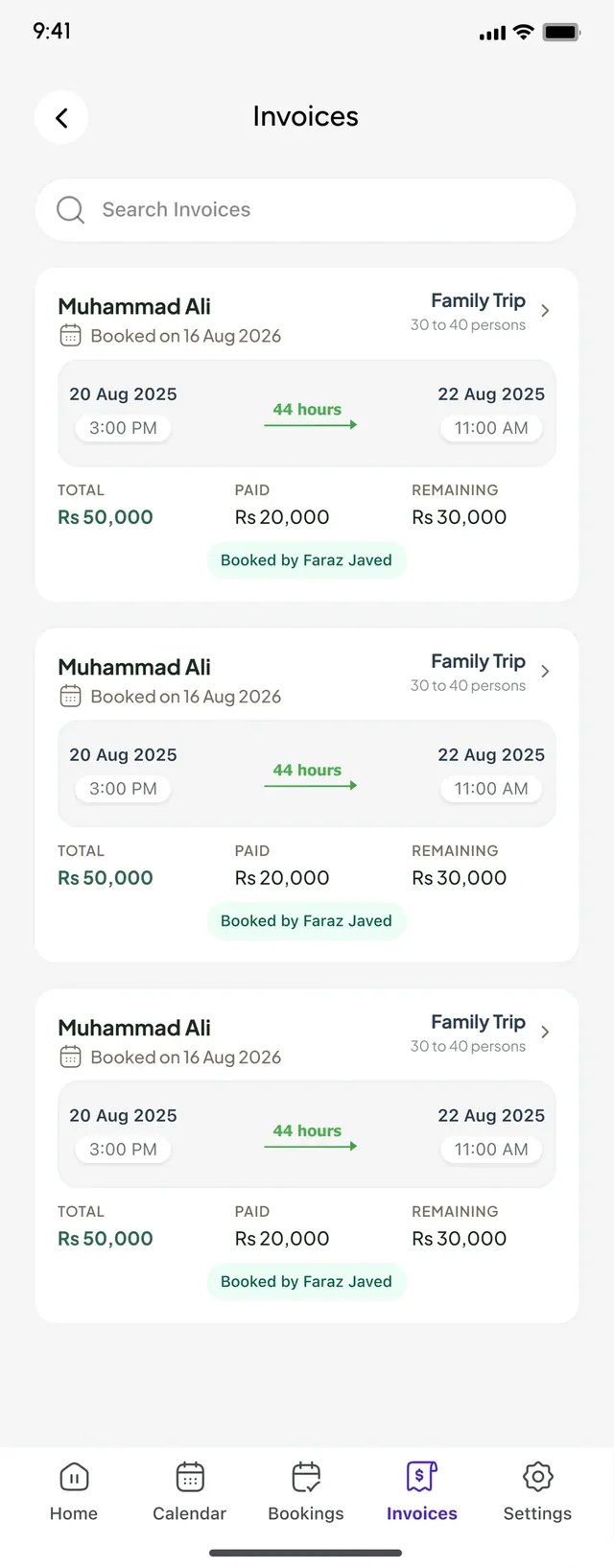
A searchable invoice list gives owners a clean record of every booking’s totals, payments and outstanding amounts.
Full screen, scrolling
10 / 10
Owners can update their profile and password, manage farms, toggle push notifications, read FAQs, privacy policy and terms, and contact support through a simple form with a one-business-day response promise.
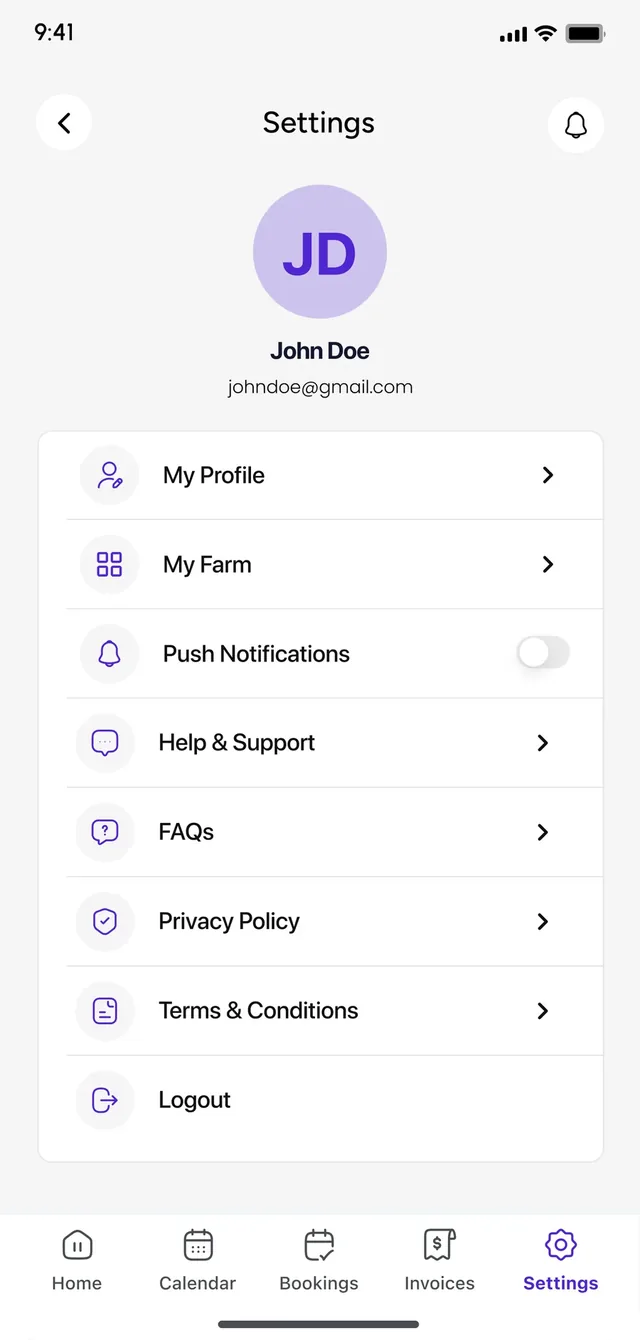
Settings
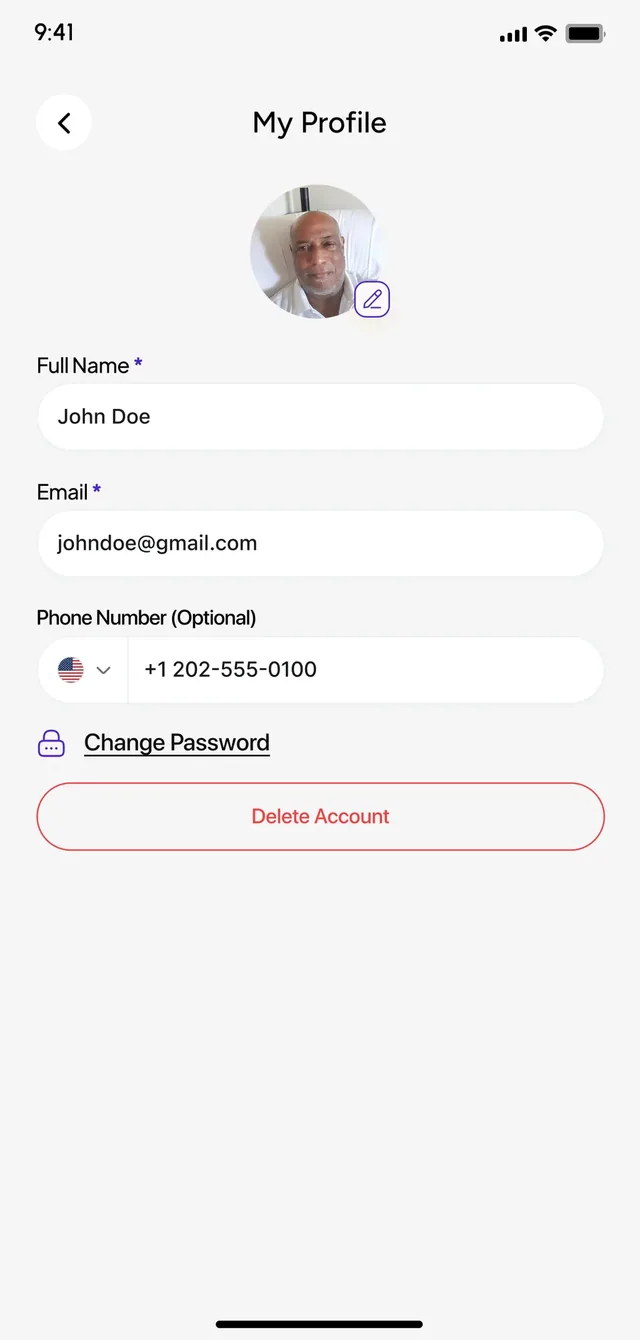
My profile
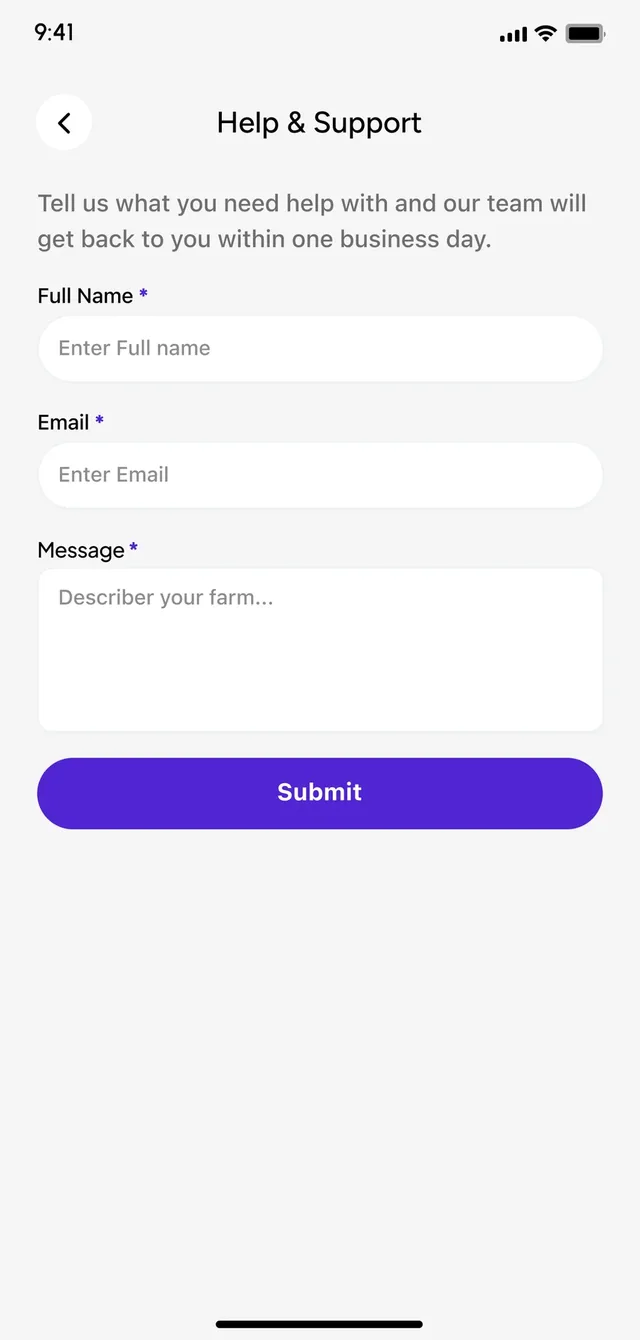
Help & support
Colour
#511FCE
Violet · brand
#22C55E
Green · available
#F59E0B
Amber · partial
#EF4444
Red · fully booked
Type
Weekly revenue
Total, paid and remaining on every booking — no more guesswork.
Components
Total
Rs 50,000
Booking
Paid
Rs 20,000
Advance
Remaining
Rs 30,000
Balance
Assan Booking was a full product build, not a design hand-off. The same team carried both apps from research to tested releases in the stores.
6 stages · scroll to follow the journey
stakeholder workshops, owner and staff interviews, and competitive analysis of PMS and rental tools.
guest discovery, filters, Shorts, farm details, booking and chat, plus the owner dashboard, farm registration, calendar, bookings, payments and invoices, prototyped and tested.
a documented Figma component library shared by design and engineering.
guest and owner apps for iOS and Android, the shared backend and APIs, availability, pricing, bookings, payments, video and chat.
functional, device and usability testing on every release before it reached owners.
app store release, monitoring and ongoing improvements.
Designing around day and night slots made pricing and availability match how farmhouses are really rented.
A colour-coded calendar and 7-day strip prevent double bookings at a glance.
Showing total, paid and remaining on every booking card removes payment confusion.
Reusing the same wizard for registering and editing farms keeps the app simple.
Sharing one calendar and design system across the guest and owner apps keeps both sides in sync.
Where we work
Can't find what you need? Talk to our team.
It is a mobile app that helps farmhouse owners list properties, manage availability, take bookings and payments, and track revenue in one place.
A complete booking app UI/UX design like Assan Booking typically takes 6–10 weeks.
Yes. Assan Booking supports separate day and night slots with month and weekday-based pricing and discounts.
Yes. We can add WhatsApp booking confirmations, payment reminders and AI chat or voice agents that answer guest enquiries.
Yes. Guests can search farmhouses by area, filter by price and capacity, check live availability and book or chat with the host directly in the app.
Guests need discovery, comparison and trust; owners need calendars, payments and reporting. Designing both sides on one shared design system keeps the experience consistent while serving each user’s goals.
We design and build booking apps that prevent double bookings, simplify payments and show owners exactly how their business is doing.