01
Generic experiences
users felt plans weren’t built for their body, age or goals.

An end-to-end SaaS product for Health Sneak Peak, designed, built and tested by AleyaAI: personalised onboarding, AI-powered coach matching and a health dashboard that keeps users motivated.
Jonathan Brooks set out to build Health Sneak Peak, an AI fitness coaching app that feels as personal as a one-to-one trainer. Most fitness apps give everyone the same workouts and leave users to figure out which coach or plan fits them. Our goal was to design a health and fitness app that learns about each user in under a minute, matches them with the right coach across fitness, nutrition, wellness and mental health, and turns daily health data into clear, motivating progress. AleyaAI owned the product end to end — from user research and onboarding flows to the coach marketplace, health tracking dashboard and design system, then development, QA and launch on iOS and Android.
Fitness apps are among the most downloaded categories on the app stores, yet many users stop using them within the first weeks. Through stakeholder workshops and user interviews, we found four problems to solve:
01
users felt plans weren’t built for their body, age or goals.
browsing dozens of coaches without guidance led to drop-off.
competitor apps asked too many questions before showing value.
step counts and calories were shown, but users didn’t know if they were “doing well”.
User interviews with gym-goers, beginners and people focused on weight loss and mental wellbeing.
Competitive analysis of leading fitness and coaching apps.
Journey mapping from download to first coach conversation.
“Users trust a coach more when they understand why that coach was recommended, and they stay motivated when progress is summarised in one simple score.”
What success looked like, and how we measured it.
Onboarding in under 60 seconds
Time to complete profile
Personalised coach matching
% of users who start a coach chat
Clear daily motivation
Daily active users and return rate
Inclusive, respectful design
Accessible options for every user, including “prefer not to say”
We designed a mobile app experience in three stages: a short, friendly fitness app onboarding flow, an AI coach marketplace, and a health tracking dashboard that ties everything together.
01 / 06
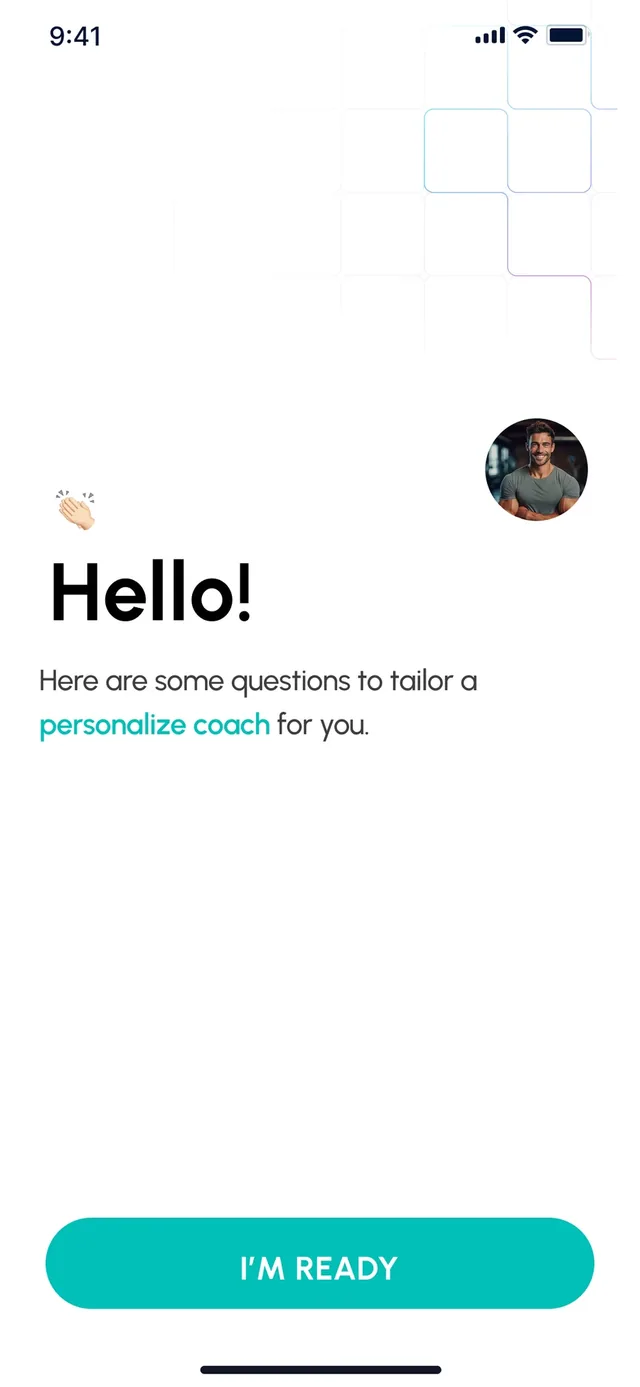
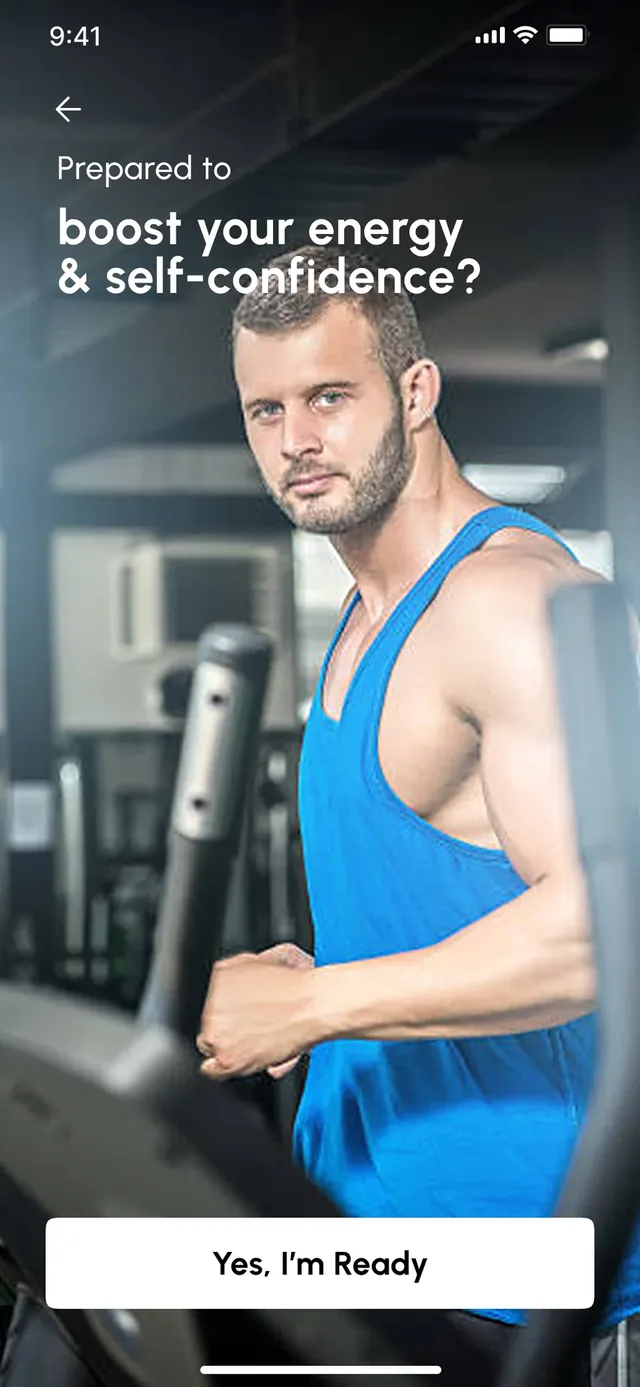
The app opens with a warm “Hello!” and a coach avatar, setting the tone of a personal trainer rather than a form. A full-bleed motivational screen — “Prepared to boost your energy & self-confidence?” — builds emotional commitment before any questions are asked. One clear call to action (“I’m Ready”) keeps the path simple.
02 / 06
We broke the profile into five single-question screens with a visible progress bar, so the flow feels fast and never overwhelming:
Each screen includes a short helper card explaining why the question matters (for example, “We’ll calculate your BMI and adjust workouts to suit you”), which builds trust and improves completion.
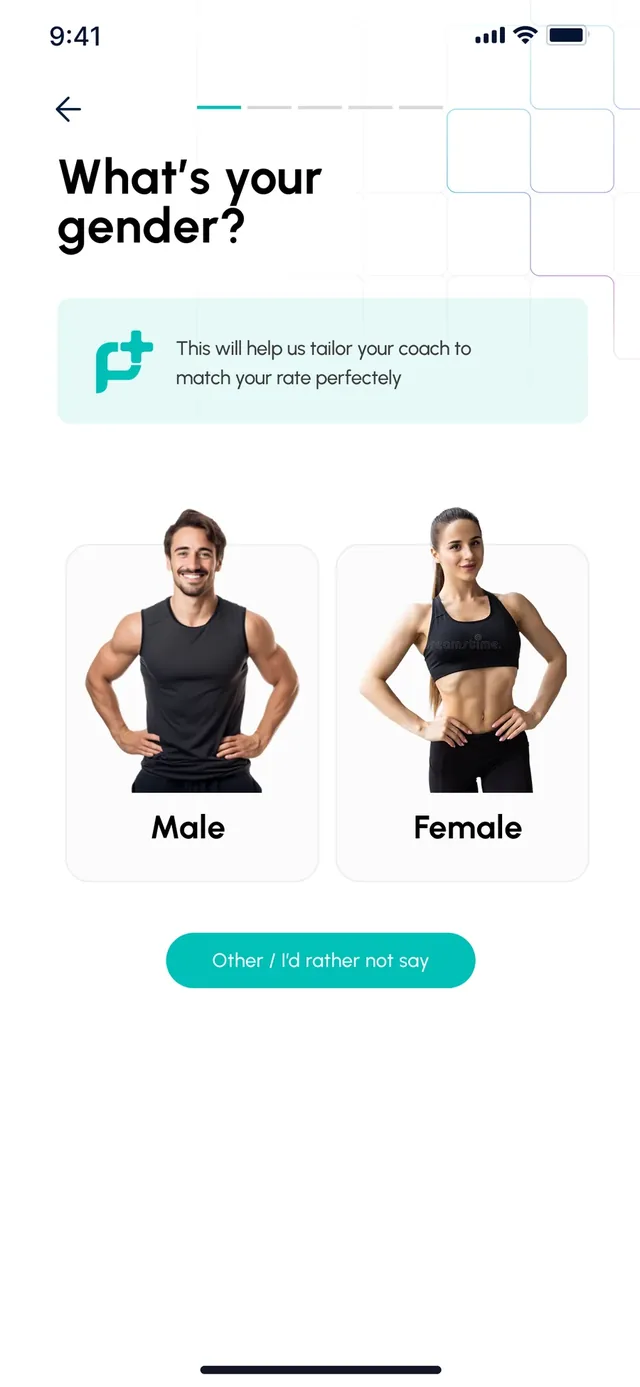
Step 1 · Gender
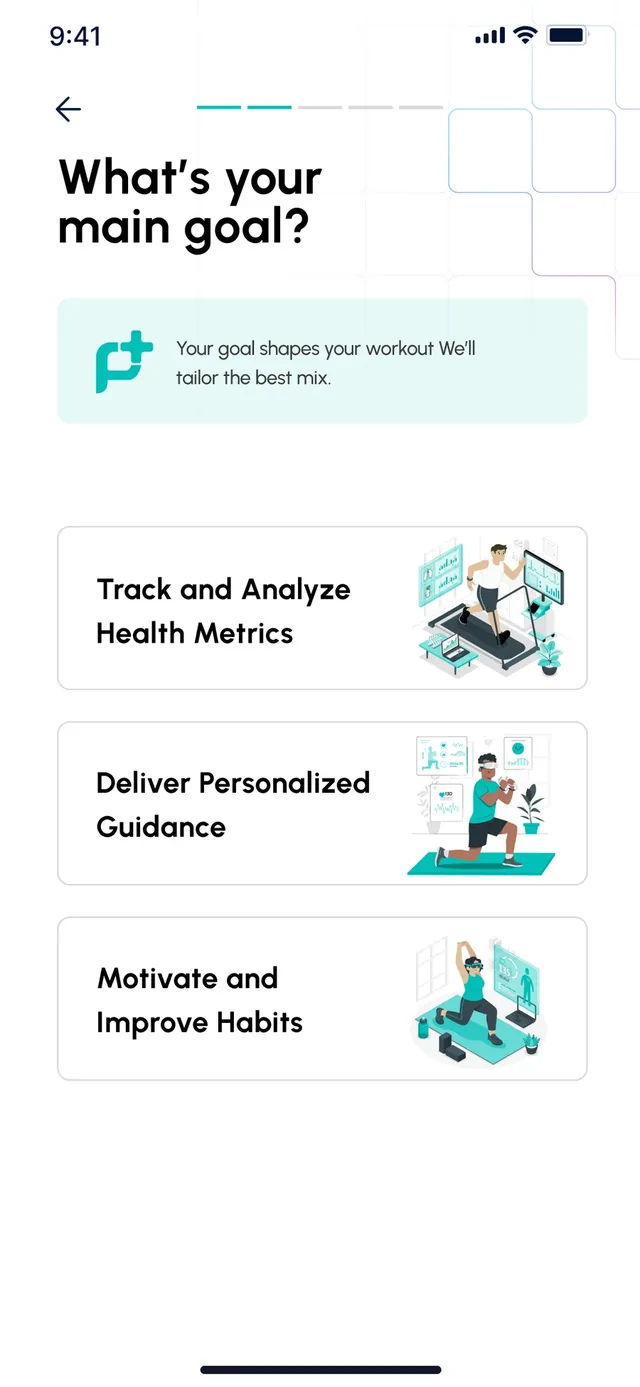
Step 2 · Main goal
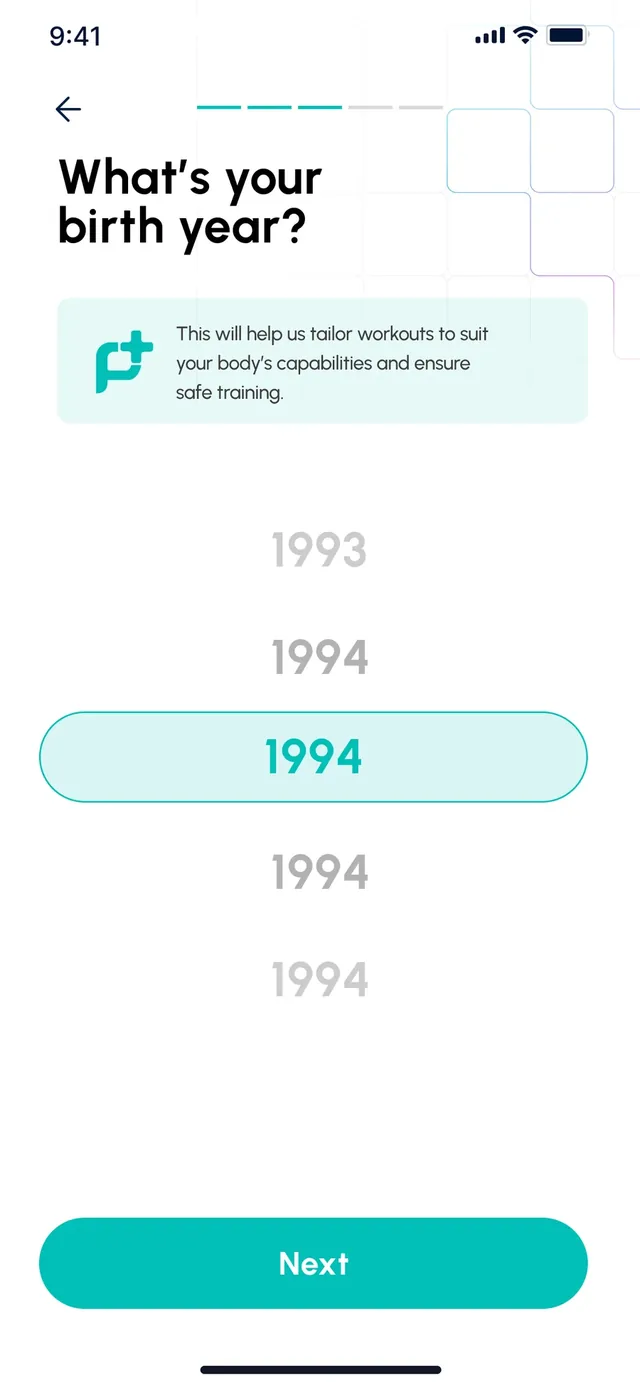
Step 3 · Birth year
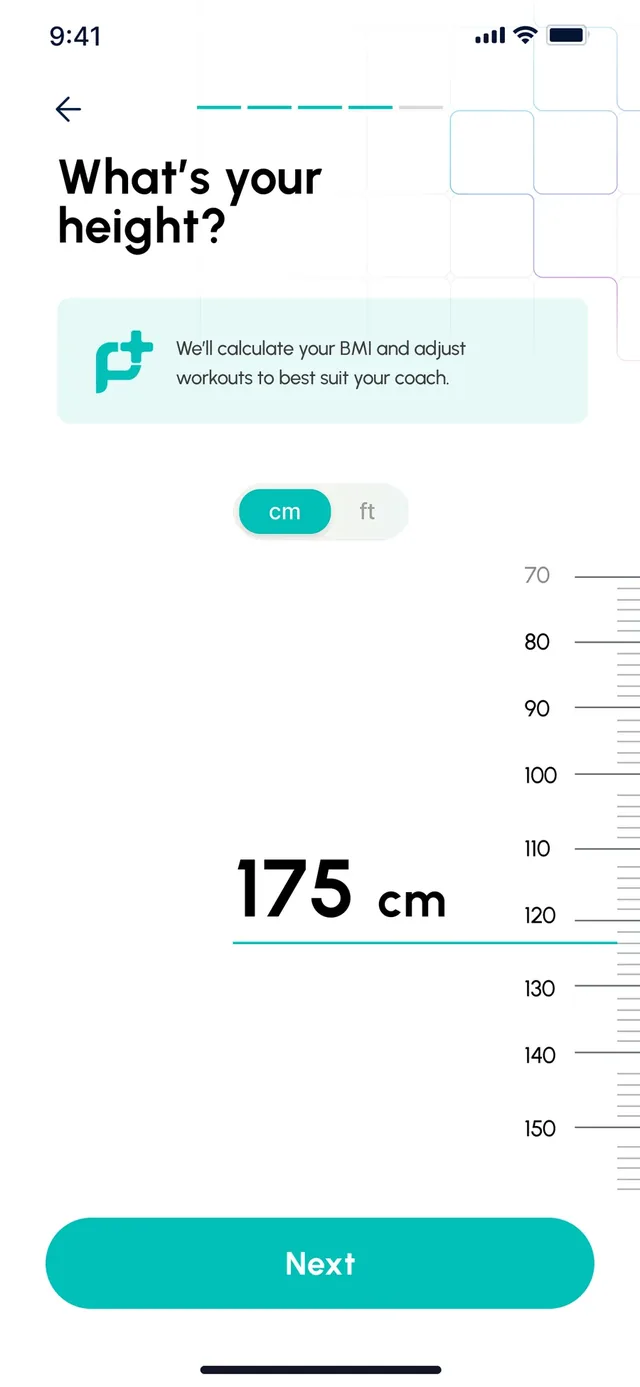
Step 4 · Height
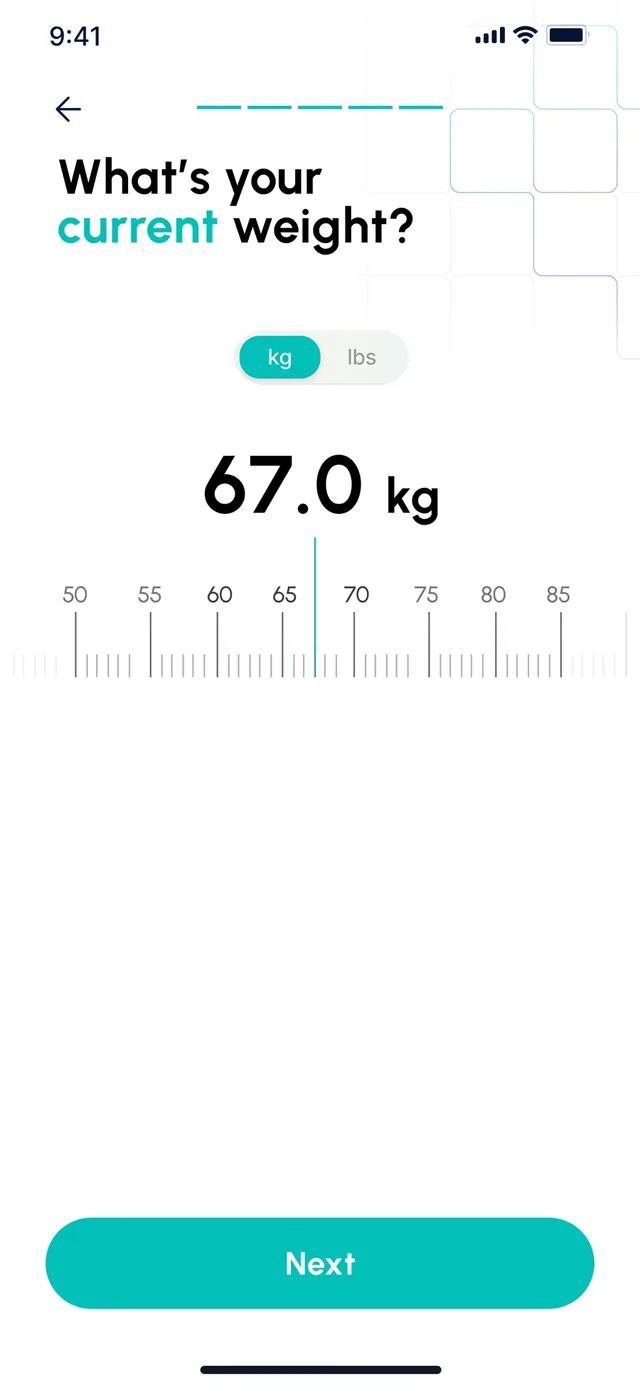
Step 5 · Weight
03 / 06
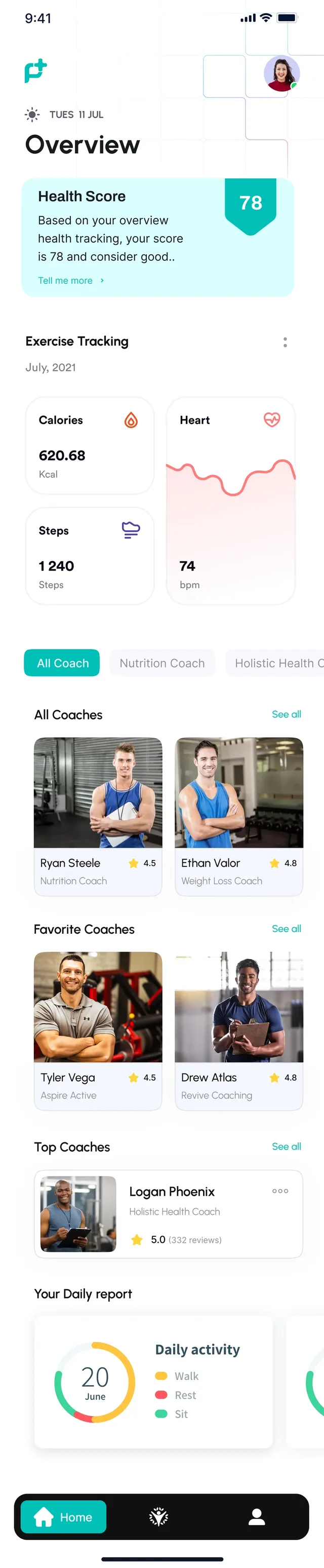
The home screen turns raw data into one meaningful number: a Health Score (e.g. 78 — “good”) with a “Tell me more” link. Below it, exercise tracking cards show calories, steps and heart rate at a glance. Coach carousels (All, Nutrition, Holistic Health) and a Daily Activity ring for walking, resting and sitting keep users exploring and moving.
Full screen, scrolling
04 / 06
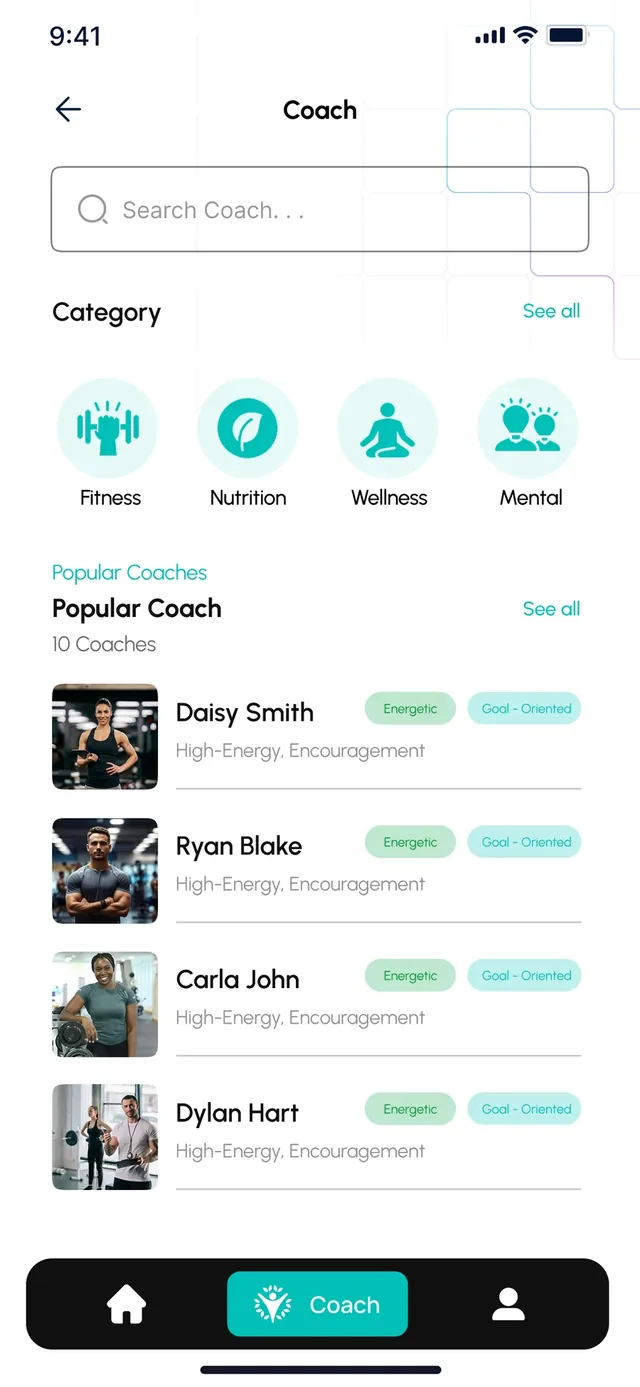
The Coach screen combines search with four clear categories — Fitness, Nutrition, Wellness and Mental — so users find the right type of support quickly. Coach cards show a photo, name, coaching style (“High-Energy, Encouragement”) and personality tags such as Energetic and Goal-Oriented, helping users match with a coach whose style fits them.
05 / 06
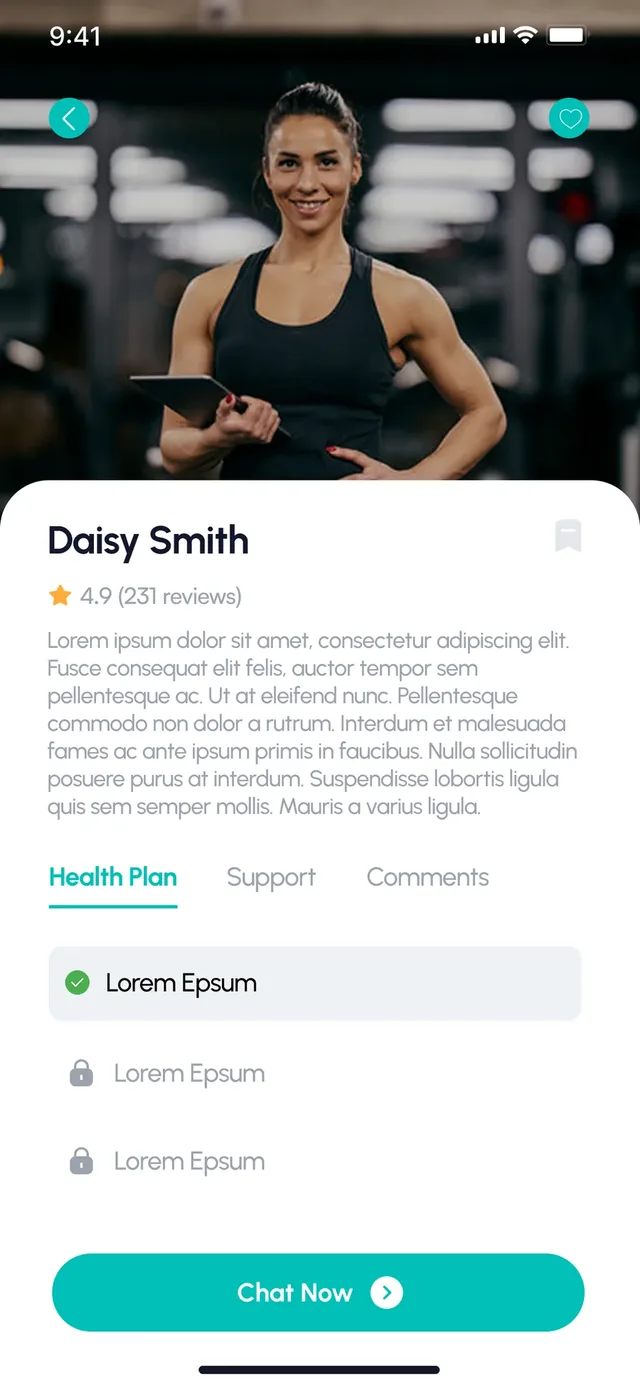
Each coach profile opens with a large hero photo, rating and reviews, and a short bio. Tabs for Health Plan, Support and Comments organise information, while the health plan shows completed and locked steps to create a sense of progression. A sticky “Chat Now” button makes starting a conversation one tap away.
06 / 06
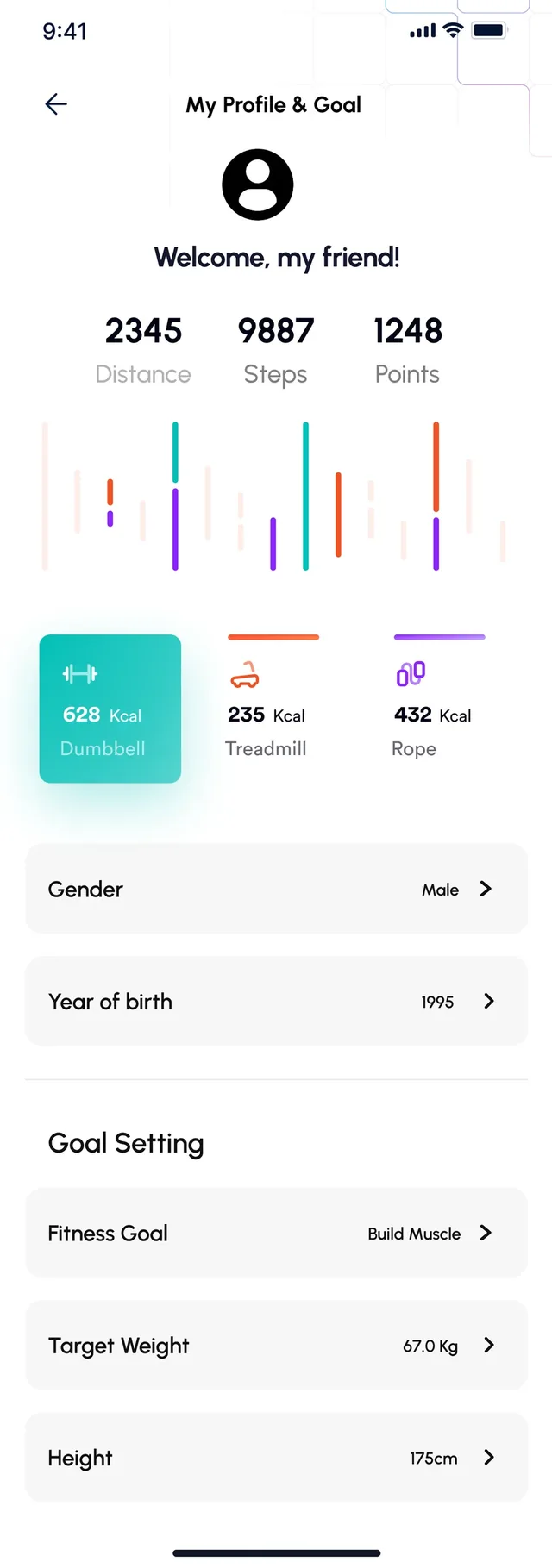
The profile screen celebrates progress with distance, steps and points, an activity chart and calories burned per workout type (dumbbell, treadmill, rope). Users can update gender, birth year, fitness goal, target weight and height at any time, and their coaching adapts.
Full screen, scrolling
Colour
#01BFB7
Teal · primary
#E6F9F8
Mint · helper cards
#DAFFFD
Aqua · highlights
#111111
Ink · text
Type
What’s your current weight?
We’ll calculate your BMI and adjust workouts to suit you.
Components
Calories
620.68
Kcal
Steps
1 240
Steps
Heart
74
bpm
Health Sneak Peak was a full product build, not a design hand-off. The same team carried it from research to a tested app in the stores.
6 stages · scroll to follow the journey
stakeholder workshops, user interviews, competitive analysis and journey mapping.
onboarding, coach marketplace, coach profiles, health dashboard and profile screens, prototyped and tested.
a documented Figma component library shared by design and engineering.
iOS and Android apps, the backend and APIs behind them, and the AI coach-matching logic.
functional, device and usability testing on every release before it reached users.
app store release, monitoring and ongoing improvements.
Onboarding answers (goal, age, height, weight and gender) feed a coach-matching model that ranks coaches by specialty and coaching style, and adjusts workout intensity and BMI-based recommendations. Health data from wearables powers the daily Health Score.
Onboarding answers
+ wearable health data
Coach-matching model
Ranks coaches by specialty and coaching style; adjusts intensity and BMI-based advice.
Recommended for you
Daisy Smith
High-Energy, Encouragement
Ryan Blake
High-Energy, Encouragement
Carla John
High-Energy, Encouragement
One question per screen, with a reason for asking, makes onboarding feel fast and trustworthy.
Coach personality tags help users choose a coach with confidence.
A single Health Score makes health data motivating instead of confusing.
Where we work
Can't find what you need? Talk to our team.
A complete fitness app UI/UX design with onboarding, dashboard and coach marketplace typically takes 6–10 weeks.
Short, single-question screens, a visible progress bar, and a clear reason for each question.
Yes. AI can match users to coaches based on goals, preferences, health data and coaching style.
Yes. AleyaAI designs and develops health and fitness apps for iOS and Android, including AI features and wearable integrations.
From onboarding and dashboards to AI coach matching, we design and build fitness apps users love to open every day.