

Key takeaways
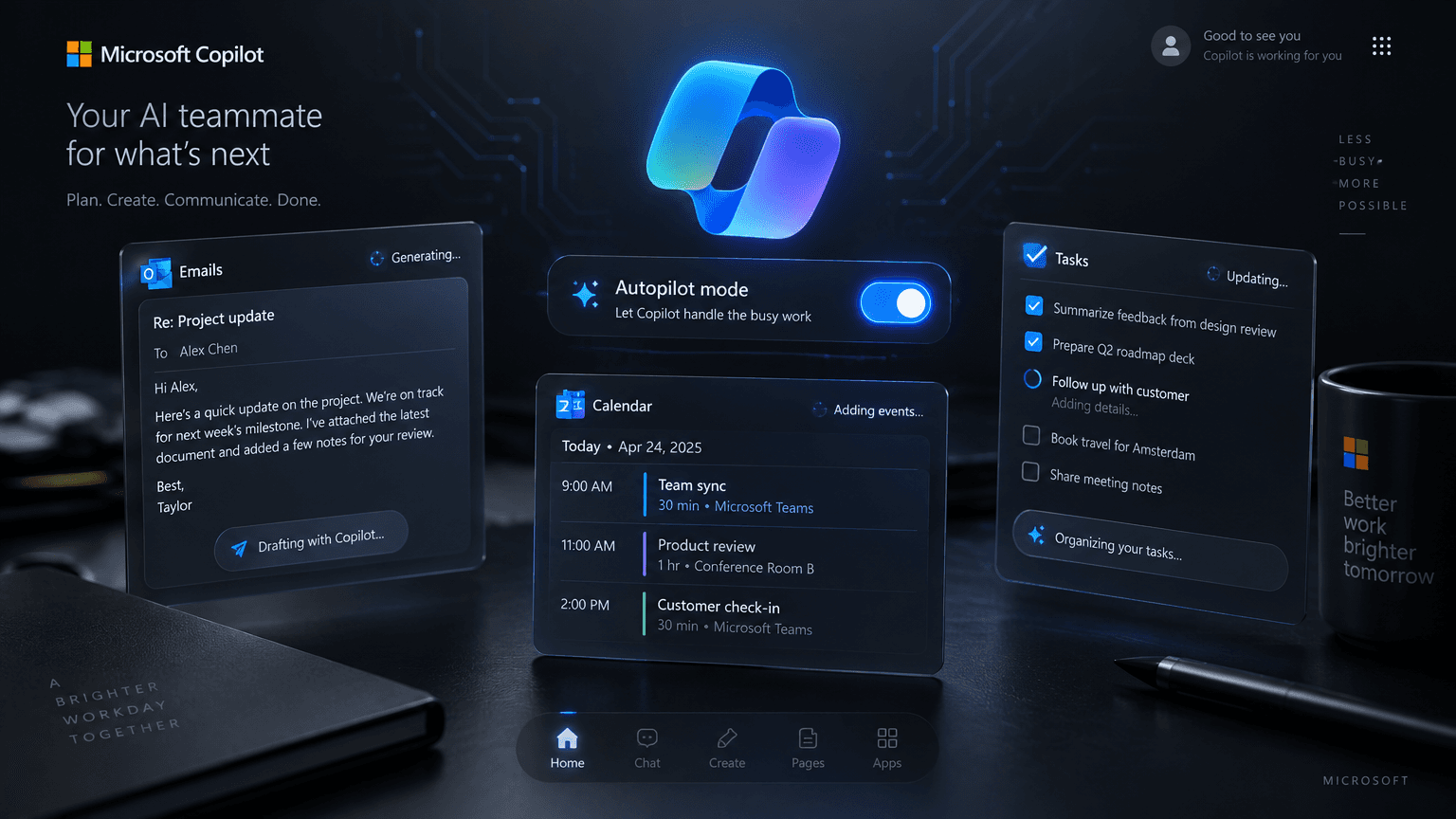
- Microsoft's Fall 2026 Copilot update introduces Autopilot — a proactive agent that monitors your work and takes action without being prompted, embedded directly in Microsoft 365.
- The update includes 12 new features: Autopilot mode, a Groups co-creation space for up to 32 people, and a unified Home interface replacing the old Chat and Cowork split.
- Autopilot can draft emails, flag calendar conflicts, update project statuses and summarise meetings — all without the user opening Copilot.
- For most Microsoft 365 Business and Enterprise subscribers, these features arrive at no extra cost — no new licence required.
- The question is no longer whether to use AI in your business workflows. It is whether your team knows how to set the guardrails so Autopilot acts within the right scope.
Microsoft's Fall 2026 Copilot update is the most significant change to the product since its launch. The headline feature — Autopilot mode — turns Copilot from a tool you have to ask into an agent that works in the background and acts on what it observes.
If your business runs on Microsoft 365, this update is already sitting in your environment. Here is what changed, what Autopilot actually does, and how to deploy it without giving it more scope than it should have.
What the Fall 2026 update includes
Microsoft announced 12 new features in the Fall 2026 Copilot release. Three are the most significant for business users:
Autopilot mode. Copilot monitors your connected Microsoft 365 tools — Outlook, Teams, SharePoint, Planner, Loop — and takes actions without being prompted. It can draft a reply to a flagged email, update a project status after a meeting, summarise a document when it is mentioned in a Teams thread, or reschedule a conflicting calendar slot. The agent observes, decides and acts.
Groups. Up to 32 people can now work with Copilot simultaneously in a shared space — brainstorming, planning, co-writing a document. The AI participates as a contributor, not just a tool. Each participant sees the same AI-generated suggestions and can accept, edit or reject them in real time.
Unified Home interface. The previous split between Chat and Cowork is gone. Everything lives in a single Home surface, with a new Code section for developers who want Copilot in their coding workflow.
What Autopilot changes about daily work
The most direct business impact is in roles where a large portion of work involves monitoring and responding: operations managers, sales coordinators, executive assistants, project leads.
For a sales coordinator, Autopilot can monitor a shared inbox, categorise inbound enquiries, draft replies for review and log the interaction to the CRM — all without the coordinator opening Outlook manually. For a project lead, it can pull action items from a Teams meeting, create Planner tasks from them and update the project dashboard before the meeting recap is even written.
The model is similar to what Anthropic launched with Claude Duet and Meta is building with Muse: a background agent that reduces the gap between "meeting happened" and "work is updated."
What Autopilot cannot do (yet)
Autopilot works within Microsoft's ecosystem. It reads and writes Microsoft 365 data — emails, calendar events, Teams messages, SharePoint documents, Planner tasks. It does not natively reach outside that environment.
If your CRM is Salesforce, your support tool is Zendesk, or your finance system is Xero, Autopilot will not touch those unless you build a connector through Power Automate or a third-party integration layer. The proactive capability is real, but the scope is bounded by the Microsoft graph.
For workflows that cross systems — a lead lands in email, gets logged in the CRM, triggers a WhatsApp follow-up — Autopilot covers one leg of that journey. The full cross-system automation still needs a dedicated workflow layer.
How to deploy Autopilot without overreaching
The risk is not the technology. It is giving Autopilot access to workflows where it should not act, or failing to audit what it does in the first few weeks.
Start with a read-only pilot. Enable Autopilot for a small team in a non-critical workflow first — meeting summaries, document tagging, draft replies. Let it observe and suggest for two weeks before it acts.
Define scope explicitly. Use Copilot's admin settings to specify which folders, sites and channels the agent can access. Do not give it access to finance inboxes, HR records or legal documents until you have tested its judgement on lower-stakes material.
Set approval requirements on sensitive actions. Microsoft defaults sensitive actions to require approval. Verify this is enabled for your tenant — especially for anything that sends external communication or modifies shared records.
Review the action log weekly. Autopilot logs what it does. Reviewing this weekly for the first month tells you whether it is staying in scope or drifting into workflows you did not intend.
The broader shift
The Fall 2026 update signals that Microsoft has made a strategic decision: AI in the enterprise is no longer a chatbot that answers questions. It is an agent that participates in work.
This follows what Anthropic (Claude Duet), Meta (Muse) and OpenAI (Dots) are building in the consumer space. The enterprise version is arriving through Microsoft 365 at scale — for most organisations, without a new procurement conversation.
The businesses that will benefit most are those that define their agent workflows clearly before turning Autopilot on, rather than letting it operate on its broadest possible scope and cleaning up afterwards.
Related reading
- Replit Dropped Anthropic for OpenAI — and It Reveals How Businesses Are Choosing AI Models: The commercial forces shaping enterprise AI model decisions, and how to avoid vendor lock-in.
- Notion AI Agents Can Now Run for 24 Hours: How another major productivity platform extended its agent capability — and what businesses can do with long-running agents today.
- Anthropic Launches Claude Duet: The proactive AI agent trend from Anthropic's perspective — and how Duet compares to Autopilot's approach.
How AleyaAI can help
AleyaAI builds AI integrations that extend Microsoft Copilot's reach into the systems it does not natively connect to — your CRM, your WhatsApp channel, your support platform, your custom databases. We also build n8n automation workflows that bridge the gap between what Autopilot handles inside Microsoft 365 and what happens in the rest of your business stack.
If you want help scoping which Copilot workflows to enable first, or building the connectors that take Autopilot's output and route it to your other systems, book a free 30-minute strategy call.
Want this working in your business? We build it end to end.
See how we build it